Author Archive: Lisa Hendrickson

Lisa Hendrickson is the owner of Call That Girl. She is an Outlook Expert and Microsoft 365 Consultant.

rss feed

Author's Website

Cyber Security Training Minneapolis St. Paul

| January 9, 2018 | 0 Comments

Cyber Security Training Minneapolis St. Paul

Hi folks! I work with a fellow computer expert in the Twin Cities and I offered to do some marketing for him. I know Bob personally and can highly recommend him for your company Cyber Security needs. He comes to your office and does remote training as well. If you are interested in talking to Bob, please fill out my form and I will get you in touch with him. https://callthatgirl.biz/technician-referral-form

Cyber Security Package One –

Phishing Simulation and Cybersecurity Awareness Training

We will implement a phishing simulation test targeting your staff, followed by a single session of up to two hours of cybersecurity awareness training, followed by a second phishing simulation, for comparison purposes.

Up to 25 employees – $600

Up to 50 employees – $750

Cyber Security Package Two –

Internal and External Vulnerability Assessment,

We will perform a network security assessment using automated tools, including a review of firewall rules and logs, Group Policy review, wireless network review, and a report of findings on internal and external vulnerabilities found.

Up to 25 devices – $2000

Up to 50 devices – $3000

Cyber Security Package Three –

PCI-DSS Compliance Review

We assist business owner in completing the required PCI Self-Answered Questionaire (SAQ) and any internal and external scans required by your card processor.  Identify missing qualifications to aid in remediation.

Annual review – $500

4 Quarterly reviews – $1750

Cyber Security Package Four –

WordPress Website Security Protection

WordPress websites are an attractive target for hijackers to using in phishing campaigns, malware distribution, bit coin mining, personal information extraction, and other criminal activities.  This can have a negative effect on your web site visitors, customers, Google ranking, and cause your web host to take your site offline.   We review existing security of your WordPress website, and implement security features to reduce risk of web site hijacking

$500 per web site

Cyber Security Expert

| January 9, 2018 | 0 Comments

Cyber Security Expert

Hi folks! I work with a fellow computer expert in the Twin Cities and I offered to do some marketing for him. I know Bob personally and can highly recommend him for your company Cyber Security needs. He comes to your office and does remote training as well. If you are interested in talking to Bob, please fill out my form and I will get you in touch with him. https://callthatgirl.biz/technician-referral-form

Cyber Security Package One –

Phishing Simulation and Cybersecurity Awareness Training

We will implement a phishing simulation test targeting your staff, followed by a single session of up to two hours of cybersecurity awareness training, followed by a second phishing simulation, for comparison purposes.

Up to 25 employees – $600

Up to 50 employees – $750

Cyber Security Package Two –

Internal and External Vulnerability Assessment,

We will perform a network security assessment using automated tools, including a review of firewall rules and logs, Group Policy review, wireless network review, and a report of findings on internal and external vulnerabilities found.

Up to 25 devices – $2000

Up to 50 devices – $3000

Cyber Security Package Three –

PCI-DSS Compliance Review

We assist business owner in completing the required PCI Self-Answered Questionaire (SAQ) and any internal and external scans required by your card processor.  Identify missing qualifications to aid in remediation.

Annual review – $500

4 Quarterly reviews – $1750

Cyber Security Package Four –

WordPress Website Security Protection

WordPress websites are an attractive target for hijackers to using in phishing campaigns, malware distribution, bit coin mining, personal information extraction, and other criminal activities.  This can have a negative effect on your web site visitors, customers, Google ranking, and cause your web host to take your site offline.   We review existing security of your WordPress website, and implement security features to reduce risk of web site hijacking

$500 per web site

Cyber Security Expert Minneapolis St. Paul
| January 9, 2018 | 0 Comments

Cyber Security Expert Minneapolis St. Paul

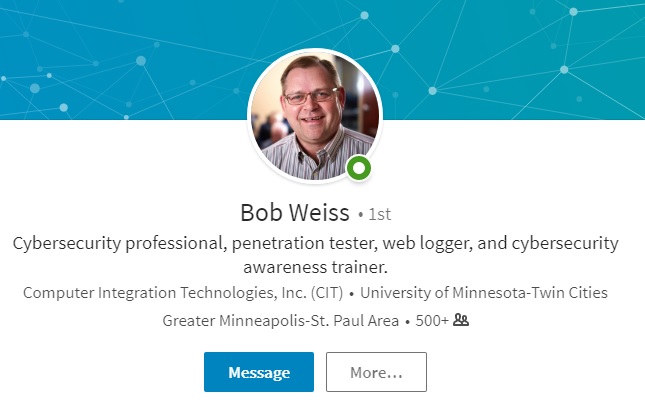
Hi folks! I work with a fellow computer expert in the Twin Cities and I offered to do some marketing for him. I know Bob personally and can highly recommend him for your company Cyber Security needs. He comes to your office and does remote training as well. If you are interested in talking to Bob, please fill out my form and I will get you in touch with him.

Cyber Security Package One –

Phishing Simulation and Cybersecurity Awareness Training

We will implement a phishing simulation test targeting your staff, followed by a single session of up to two hours of cybersecurity awareness training, followed by a second phishing simulation, for comparison purposes.

Up to 25 employees – $600

Up to 50 employees – $750

Cyber Security Package Two –

Internal and External Vulnerability Assessment,

We will perform a network security assessment using automated tools, including a review of firewall rules and logs, Group Policy review, wireless network review, and a report of findings on internal and external vulnerabilities found.

Up to 25 devices – $2000

Up to 50 devices – $3000

Cyber Security Package Three –

PCI-DSS Compliance Review

We assist business owner in completing the required PCI Self-Answered Questionaire (SAQ) and any internal and external scans required by your card processor.  Identify missing qualifications to aid in remediation.

Annual review – $500

4 Quarterly reviews – $1750

Cyber Security Package Four –

WordPress Website Security Protection

WordPress websites are an attractive target for hijackers to using in phishing campaigns, malware distribution, bit coin mining, personal information extraction, and other criminal activities.  This can have a negative effect on your web site visitors, customers, Google ranking, and cause your web host to take your site offline.   We review existing security of your WordPress website, and implement security features to reduce risk of web site hijacking

$500 per web site

Contact Lisa@callthatgirl.biz to get in touch with Bob!

How to upgrade Outlook 2010 to Office 365

| January 2, 2018 | 0 Comments

How to upgrade Outlook 2010 to Office 365

Hi Folks!

As a Microsoft Outlook Expert, many times I remote into a computer and find clients still using Outlook 2010. Sometimes clients have issues that might take 1-2 hours to fix. I have been recommending that they upgrade to Outlook 2016 instead of having me try to fix a broken Outlook 2010.

There are many reasons why I recommend upgrading

  • Speed, Outlook is just so much faster even on Windows 7
  • If you buy Office 365 subscription, Microsoft does not charge you for help with the software (not email help)
  • It can hold a lot more email than 2010, 50 gig is the limit. Outlook 2010 had a 20 gig limit
  • You can add more emails account, faster setup (usually) and

Things to do before you upgrade

  • Be sure you have a good backup of your email, calendar, contacts, tasks and notes
  • If your PST are very old from 2003 or 2007, your PST files might break. Best thing to do is export to a New PST
  • Have all of your accounts for email and passwords ready. You might need to add all the accounts in again
  • Export your rules if you use them
  • Export your quick parts if you use them
  • Copy your NK2 file or stream autocomplete file, this might delete it self. The file is typically stored here
    • C:\Users\username\AppData\Local\Microsoft\Outlook\RoamCache
    • It might be stored in another directory

Should you purchase or buy Office 2016

Simple answer, I always recommend the Office 365 subscription. Buying might leave you paying Microsoft for help and that can be costly.

After you are all backed up and ready to upgrade

  • Go to the Microsoft store and purchase.
  • Install
  • Reboot
  • Test the new Office, fine tune and configure
  • Do the updates
  • Uninstall Office 2010

Final Tips

  • If you use IMAP on Outlook 2010 and have your inbox shared with other email accounts, with Outlook 2016, the only way to do this is have all accounts in POP or figure out a shortcut in the favorites to have 1 viewable inbox. IMAP and Exchange have their own Inbox in the folder structure in Outlook 2016.
  • Hire a pro to help! I’m available or you can hire a local technician. I do not recommend doing it yourself if you don’t understand my instructions.

Thanks! You can schedule time on my calendar below!


How to upgrade Outlook 2010 to 2016

| January 2, 2018 | 1 Comment

How to upgrade Outlook 2010 to 2016

Hi Folks!

As a Microsoft Outlook Expert, many times I remote into a computer and find clients still using Outlook 2010. Sometimes clients have issues that might take 1-2 hours to fix. I have been recommending that they upgrade to Outlook 2016 instead of having me try to fix a broken Outlook 2010.

There are many reasons why I recommend upgrading to 2016

  • Speed, Outlook is just so much faster even on Windows 7
  • If you buy Office 365 subscription, Microsoft does not charge you for help with the software (not email help)
  • 2016 can hold a lot more email than 2010, 50 gig is the limit. Outlook 2010 had a 20 gig limit
  • You can add more emails account, faster setup (usually) and

Things to do before you upgrade

  • Be sure you have a good backup of your email, calendar, contacts, tasks and notes
  • If your PST are very old from 2003 or 2007, your PST files might break. Best thing to do is export to a New PST
  • Have all of your accounts for email and passwords ready. You might need to add all the accounts in again
  • Export your rules if you use them
  • Export your quick parts if you use them
  • Copy your NK2 file or stream autocomplete file, this might delete it self. The file is typically stored here
    • C:\Users\username\AppData\Local\Microsoft\Outlook\RoamCache
    • It might be stored in another directory

Should you purchase or buy Office 2016

Simple answer, I always recommend the Office 365 subscription. Buying might leave you paying Microsoft for help and that can be costly.

After you are all backed up and ready to upgrade

  • Go to the Microsoft store and purchase.
  • Install
  • Reboot
  • Test the new Office, fine tune and configure
  • Do the updates
  • Uninstall Office 2010

Final Tips

  • If you use IMAP on Outlook 2010 and have your inbox shared with other email accounts, with Outlook 2016, the only way to do this is have all accounts in POP or figure out a shortcut in the favorites to have 1 viewable inbox. IMAP and Exchange have their own Inbox in the folder structure in Outlook 2016.
  • Hire a pro to help! I’m available or you can hire a local technician. I do not recommend doing it yourself if you don’t understand my instructions.

Thanks! You can schedule time on my calendar below!

Feel free to leave a comment if this blog helped you! I am enjoying reading and replying to them.

  • Sign up for my newsletter here
  • If you’re looking to earn money just by talking about me to your friends, check out my referral program here
  • Subscribe to my YouTube Channel
  • Follow me on Facebook
  • Invite me on LinkedIn
  • Follow me on Twitter

Office 365 Security

| December 26, 2017 | 1 Comment

Office 365 Security

hi Folks! As a Microsoft Outlook Expert, I get client calls and emails asking me “Is this fake or real” and almost all the emails are fake.  I had a client request some documentation for their team to learn more about phishing and scam emails. As I was creating the outline, I felt this would be great learning material for my clients and social media contacts. The information listed below is in a PowerPoint presentation, it can be saved in many different formats (PDF, video, etc). If you’re an end user (not a computer technician), I recommend just viewing it in slideshow mode. If you buy it and find a use for it to show other team members or other groups, feel free to do so.

All I ask if that you don’t sell the information. I’m selling this at a very low price because I help clients almost every day dealing with being hacked or almost clicking a hacker link and I feel this is valuable to get out there to everyone. If you do work in the IT industry, you are free to be revised as you wish.

PowerPoint contains approx 38 slides 

  • First alerts of being attacked
  • How they try to fool you
  • How to tell if an email is fake or not
  • The Don’ts
  • The Do’s
  • How to know you’ve been hacked
  • What to look for after you’ve been hacked
  • How to prevent and protect
  • What is 2-step and MFA?
  • Myths!
  • After you’ve been hacked
  • Screenshot examples of phishing emails
  • How to secure your Office 365 account (Admin PDF)


The PowerPoint can be…

  • Customized to your liking
  • Remove my branding/name
  • Change the templates, colors, fonts etc.
  • You can add on information, remove or do whatever you wish with it.
  • You can add your own voice to it and make it a video
  • Save it as a PDF to share online, in your newsletters, blogs, social media, etc