Author Archive: Lisa Hendrickson

Lisa Hendrickson is the owner of Call That Girl. She is an Outlook Expert and Microsoft 365 Consultant.

rss feed

Author's Website

Microsoft Office 365 Consulting and Outlook Expert Virginia Beach VA

| February 5, 2017 | 0 Comments

If you are here looking for Microsoft Office 365 & Outlook Expert help, you came to the right place. Lisa and her team of top notch experts in all versions of Outlook and email can assist with all services, repairs and projects. We now remotely support the Virginia Beach, VA area.

We offer same day appointments and no contracts

How can you get the fastest Microsoft Outlook Expert help?
Call That Girl at 612-865-4475 or schedule online here http://bit.ly/1C2IoEO

whatctgsupports

Who we help the most

  • People who are frustrated after working with Microsoft, Apple, their IT techs or Googling

  • People or Small businesses who do not have IT support

  • Other IT professionals who need help

What we help with the most

  • Fixing Outlook issues with upgrades
  • Re-configuring Outlook with multiple email accounts, calendar and contacts sync issues
  • Syncing for their phones and multiple computers
  • Companies who have gone through a Office 365 Migrations and have issues to still get resolved
  • Small businesses looking for a professional to migrate their company to Office 365
  • Other tech companies who have an issue that they cannot resolve

Why remote support and not onsite? 

Office 365 and Outlook are all cloud and software based, support does not require onsite. We get asked often about why we don’t go onsite and frankly it’s not cost effective or best use of our time either. If we have to move a lot of email or backup your data, then that is hours wasted watching that process and not able to do anything else. With remote support, we stop the clock when we are not doing work on your computer. This saves you time and money. 

What we can help with

General Outlook Repairs

  • Outlook Tune Ups
  • Quick fixes
  • Affordable solutions that help you be more efficient
  • Move PST files
  • Repairing fix OST files
  • iCloud issues
  • Email recovery

Office 365

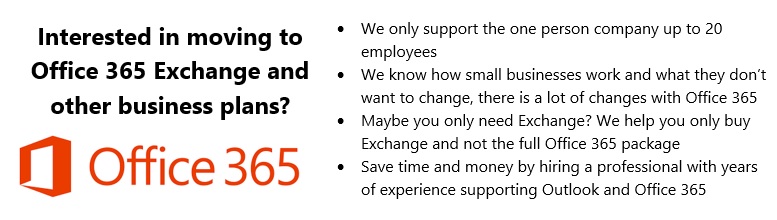
  • Migrating to Office 365 Exchange
  • IT Administration
  • Assist with users accounts, permissions and restrictions
  • Password reset, add new users, delete users
  • Setting up Microsoft Office 365
  • Configuring Exchange, SharePoint, and OneNote
  • Moving to the cloud from POP/IMAP

Synchronize your Outlook calendar and contacts to your iPad, iPhone, Android and contacts with the cloud products such as Microsoft Office 365 Exchange, Outlook.com, 3rd party apps.

  • 3rd party synchronization products
  • 3rd party apps for Gmail
  • iCloud transitional work & repairs
  • gSyncit
  • CompanionLink
  • Outlook.com
  • Synchronize Outlook info with your smartphone via iTunes
  • iCloud and iTunes syncing problems
  • Hosted Exchange Assistance/Set up and Configuration

Training

  • By request

Software upgrades and transitions

  • Upgrades for Outlook 2013
  • Office 2013 installations

Migrations

  • Pop/IMAP to Microsoft Exchange or Hosted Exchange
  • Google Apps Transitions
  • Yahoo, Earthlink, AOL transitions to Company branded email (.com)

Outside consulting

  • IT departments who need overflow help with Outlook calls
office365expert

Contact us below for any service, question, quote or migration information


App Password Links for Email providers

| February 2, 2017 | 0 Comments

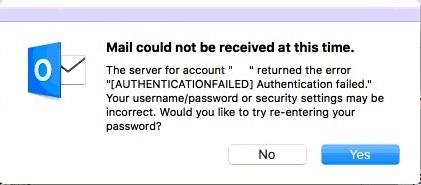
Below are all the links I have found for quick shortcuts to get to the apps passwords. I recommend you log into the account on the browser with the account before clicking on these. If you can log in, then you know the password is good, then move on from there.

iCloud

Instructions on my blog

https://callthatgirl.biz/icloud-password-not-working-outlook-2016-mac

Gmail

Link to setup Gmail 2 step authentication
https://support.google.com/accounts/answer/185839?hl=en

Link to allow other devices to use Gmail (like Outlook)

https://www.google.com/settings/security/lesssecureapps

Link to setup App Password
https://security.google.com/settings/security/apppasswords

Yahoo

Link to setup 2 step and app password

https://help.yahoo.com/kb/SLN5013.html

AOL

Link to setup 2 step and app password

https://help.aol.com/articles/2-step-verification-stronger-than-your-password-alone

Hotmail/Outlook.com

Link to setup 2 step and app password

https://account.live.com/proofs/Manage?mkt=en-us

How to Start an Expert Consulting Business

| February 1, 2017 | 0 Comments

How to Start an Expert Consulting Business


To check out the course, the guests and listen to two interviews

https://computerbusinessbreakthrough.com

As you know from my past posts that I do a lot of training as well as troubleshooting for clients with Outlook and Office 365. Last year Matthew Rodela (Your Friendly Neighborhood Computer Guy) and I thought about teaming up on a project. We both seem to have the same interests in creating products, eBooks, podcasting and videos so it made sense that we collaborate. Our first idea was to create an eBook about how we broke out of the computer repair business and just focused on what we really liked doing. For Matthew, it was website design. For me, Outlook and Office 365.

Typical of entrepreneurs, our idea started as an eBook and ended up being a 20 hour video training course. This worked out much better for our future students. We left no stone unturned with these videos and we shared positive and negative examples and really should have called it “Soup to Nuts”. We ended up with 10 course and 49 videos with video sharing examples of how we changed our business. Over 20 hours of learning, workshop exercise and guest videos from others who have niched out of break/fix. We focus on getting out of servicing many types of jobs and focusing on just one or two that you really enjoy doing and want to just do that.

For those looking to niche out their current business services and move to being an expert consultant, our examples and stories are great to learn from. For those of you wanting just a refresh we found our current students got many new ideas and got that kick start they were seeking. Matthew and I found that these courses are equivalent to taking a summer college course, very in-depth, learn at your own pace and offers many hands-on exercises. We also created a private Facebook group for the students to work together.

To check out the course, the guests and listen to two interviews

https://computerbusinessbreakthrough.com


Microsoft Office 365 Consulting and Outlook Expert Northwest Harris TX

| January 30, 2017 | 0 Comments

If you are here looking for Microsoft Office 365 & Outlook Expert help, you came to the right place. Lisa and her team of top notch experts in all versions of Outlook and email can assist with all services, repairs and projects. We now remotely support the Northwest Harris, TX area.

We offer same day appointments and no contracts

How can you get the fastest Microsoft Outlook Expert help?
Call That Girl at 612-865-4475 or schedule online here http://bit.ly/1C2IoEO

whatctgsupports

Who we help the most

  • People who are frustrated after working with Microsoft, Apple, their IT techs or Googling

  • People or Small businesses who do not have IT support

  • Other IT professionals who need help

What we help with the most

  • Fixing Outlook issues with upgrades
  • Re-configuring Outlook with multiple email accounts, calendar and contacts sync issues
  • Syncing for their phones and multiple computers
  • Companies who have gone through a Office 365 Migrations and have issues to still get resolved
  • Small businesses looking for a professional to migrate their company to Office 365
  • Other tech companies who have an issue that they cannot resolve

Why remote support and not onsite? 

Office 365 and Outlook are all cloud and software based, support does not require onsite. We get asked often about why we don’t go onsite and frankly it’s not cost effective or best use of our time either. If we have to move a lot of email or backup your data, then that is hours wasted watching that process and not able to do anything else. With remote support, we stop the clock when we are not doing work on your computer. This saves you time and money. 

What we can help with

General Outlook Repairs

  • Outlook Tune Ups
  • Quick fixes
  • Affordable solutions that help you be more efficient
  • Move PST files
  • Repairing fix OST files
  • iCloud issues
  • Email recovery

Office 365

  • Migrating to Office 365 Exchange
  • IT Administration
  • Assist with users accounts, permissions and restrictions
  • Password reset, add new users, delete users
  • Setting up Microsoft Office 365
  • Configuring Exchange, SharePoint, and OneNote
  • Moving to the cloud from POP/IMAP

Synchronize your Outlook calendar and contacts to your iPad, iPhone, Android and contacts with the cloud products such as Microsoft Office 365 Exchange, Outlook.com, 3rd party apps.

  • 3rd party synchronization products
  • 3rd party apps for Gmail
  • iCloud transitional work & repairs
  • gSyncit
  • CompanionLink
  • Outlook.com
  • Synchronize Outlook info with your smartphone via iTunes
  • iCloud and iTunes syncing problems
  • Hosted Exchange Assistance/Set up and Configuration

Training

  • By request

Software upgrades and transitions

  • Upgrades for Outlook 2013
  • Office 2013 installations

Migrations

  • Pop/IMAP to Microsoft Exchange or Hosted Exchange
  • Google Apps Transitions
  • Yahoo, Earthlink, AOL transitions to Company branded email (.com)

Outside consulting

  • IT departments who need overflow help with Outlook calls

office365expert

Contact us below for any service, question, quote or migration information


Microsoft Office 365 Consulting and Outlook Expert Northeast Tarrant TX

| January 30, 2017 | 0 Comments

If you are here looking for Microsoft Office 365 & Outlook Expert help, you came to the right place. Lisa and her team of top notch experts in all versions of Outlook and email can assist with all services, repairs and projects. We now remotely support the Northeast Tarrant, TX area.

We offer same day appointments and no contracts

How can you get the fastest Microsoft Outlook Expert help?
Call That Girl at 612-865-4475 or schedule online here http://bit.ly/1C2IoEO

whatctgsupports

Who we help the most

  • People who are frustrated after working with Microsoft, Apple, their IT techs or Googling

  • People or Small businesses who do not have IT support

  • Other IT professionals who need help

What we help with the most

  • Fixing Outlook issues with upgrades
  • Re-configuring Outlook with multiple email accounts, calendar and contacts sync issues
  • Syncing for their phones and multiple computers
  • Companies who have gone through a Office 365 Migrations and have issues to still get resolved
  • Small businesses looking for a professional to migrate their company to Office 365
  • Other tech companies who have an issue that they cannot resolve

Why remote support and not onsite? 

Office 365 and Outlook are all cloud and software based, support does not require onsite. We get asked often about why we don’t go onsite and frankly it’s not cost effective or best use of our time either. If we have to move a lot of email or backup your data, then that is hours wasted watching that process and not able to do anything else. With remote support, we stop the clock when we are not doing work on your computer. This saves you time and money. 

What we can help with

General Outlook Repairs

  • Outlook Tune Ups
  • Quick fixes
  • Affordable solutions that help you be more efficient
  • Move PST files
  • Repairing fix OST files
  • iCloud issues
  • Email recovery

Office 365

  • Migrating to Office 365 Exchange
  • IT Administration
  • Assist with users accounts, permissions and restrictions
  • Password reset, add new users, delete users
  • Setting up Microsoft Office 365
  • Configuring Exchange, SharePoint, and OneNote
  • Moving to the cloud from POP/IMAP

Synchronize your Outlook calendar and contacts to your iPad, iPhone, Android and contacts with the cloud products such as Microsoft Office 365 Exchange, Outlook.com, 3rd party apps.

  • 3rd party synchronization products
  • 3rd party apps for Gmail
  • iCloud transitional work & repairs
  • gSyncit
  • CompanionLink
  • Outlook.com
  • Synchronize Outlook info with your smartphone via iTunes
  • iCloud and iTunes syncing problems
  • Hosted Exchange Assistance/Set up and Configuration

Training

  • By request

Software upgrades and transitions

  • Upgrades for Outlook 2013
  • Office 2013 installations

Migrations

  • Pop/IMAP to Microsoft Exchange or Hosted Exchange
  • Google Apps Transitions
  • Yahoo, Earthlink, AOL transitions to Company branded email (.com)

Outside consulting

  • IT departments who need overflow help with Outlook calls

office365expert

Contact us below for any service, question, quote or migration information