Tag: Outlook Expert

Office 365 Petaluma California

| June 7, 2015

office365rightforyourbusinessIf you are here looking for a Microsoft Outlook & Office 365 Expert in the Petaluma area, you came to the right place! Lisa the owner of Call That Girl and is an Outlook Expert and Office 365 Consultant.

Her specialties include assisting small business clients purchase the right Office 365 products for their team (not all products are the right ones for your company), migrate your email servers to the new Microsoft Exchange server, install Office 2013 software, assist with other products purchased and offer training. She also has aftercare, so you have continued support!

If your company already has migrated to Office 365 and are having issues, Lisa also does offer “AfterCare” for you folks as well. Not all Office 365 migrations go smooth, so you can hire her on a project or hourly basis to get your team and new technology in working order.

Her team of experts include:

  • Outlook Expert
  • Business Contact Manager Experts
  • Microsoft Exchange Server Expert
  • Microsoft Migration Experts for teams larger than 12 people
  • Virus Removal Experts
  • QuickBooks ProAdvisors
  • Excel Experts

You are in good hands!

Contact us today, Lisa offers a free 15 min consult. Call That Girl is a break/fix on demand support company. All work is offered remotely and not onsite.

Check out our testimonials from real people who own their own companies. Click here to view


Office 365 Sacramento

| June 7, 2015

office365rightforyourbusinessIf you are here looking for a Microsoft Outlook & Office 365 Expert in the Sacramento area, Lisa the owner of Call That Girl and is an Outlook Expert and Office 365 Consultant and services your area remotely!

Her specialties include troubleshooting Outlook and Office 365 for small businesses. Just you? No problem! Got a small team needing their own expert? Lisa is the affordable best choice. With her hourly rates and prepaid tickets, she is available for almost everyday and actually answers her own phone! Have a larger company and need next level? Lisa’s partner offers advanced Office 365 work, migrations and Exchange server support.

She can also assist small business clients purchase the right Office 365 products for their team (not all products are the right ones for your company), migrate your email servers to the new Microsoft Exchange server, install Office 2013 software, assist with other products purchased and offer training. She also has aftercare, so you have continued support!

If your company already has migrated to Office 365 and are having issues, Lisa also does offer “AfterCare” for you folks as well. Not all Office 365 migrations go smooth, so you can hire her on a project or hourly basis to get your team and new technology in working order.

Most clients call us for the following reasons

  • Office 365 is a bit confusing and they want to talk to someone who can explain it to them and ask the right questions to make sure Office 365 is the right choice. See the “New to Office 365” section below.
  • They have already been through a migration that didn’t go well. Companies such as GoDaddy seem to have migrations that leave clients calling Microsoft to finish the job. Sometimes Microsoft cannot assist. This is where I step in and can help you resolve those last lingering issues and offer on-going support. See the “Need Office 365 Aftercare” section below.
  • They are looking for a smaller experienced company to help with their migrations and have it go as seamless as possible. With my forms and surveys, I do my best to have your migration completed in one day. I offer next day aftercare to ensure everyone on the team has their special issues resolved. See the “Why Hire Lisa” section below.
  • Many small businesses have setup Office 365 themselves and have questions about the products. Microsoft doesn’t have an easy to learn guide about OneDrive, SharePoint and Teams.
  • Training, I offer private one and one training and group training for specific products and Outlook.

If you are a IT Professional and are looking for coaching, I am glad to help! Contact me for information on my Office 365 coaching packages. 

New to Office 365? 

  • Looking for a company to help your company migrate your email, calendar and contacts to Office 365 Exchange? This is one of my favorite projects to do. I help small businesses get migrated in one day and then have an aftercare session. Training is optional but I offer that with my Outlook Training Videos, created with clients in mind.  Clients who purchase migrations services from us, every employee gets a complimentary login so they can watch and learn at their own pace.
  • Migration pricing: I have standard pricing, no hidden fees.

Migration fee and on-going support

  • $100-150 per user mailbox, includes email, calendar and contacts transfer, setup.
  • My prepay ticket – paid to Call That Girl for onboarding, aftercare, fine tuning and on-going support
    • 4-hour tickets $599

Need Office 365 Aftercare? 

  • Already on using it and have a few questions? I know the answers! Most issues are leftover problems your IT company doesn’t know how to fix it and I do.
  • Calendar and contacts a mess after a migration? I help clean it all up and help your team get organized by sharing with the team and for mobile device use.
  • What about SharePoint and OneDrive? I can help you with setting up, configuring and training. The hardest part of both of these is doing everything right the first time.
  • Phones, iPads and tablets not working right? They are probably configured wrong, I will help you get everything in sync and teach you a few tricks to help your experience be a better one!

Why Hire Lisa

Looking for an experienced technician? I have over 17 years of working with Microsoft Outlook and since 2010 have been migrating clients email from pop/IMAP to Exchange. Over the years, I have worked on making my migration processes better by documenting issues from the past. While no migration is 100% seamless, I learn from issues and update my notes and surveys. Technology can change very fast and having a technician who is up to date on these issues is the value you get with working with a small company.  I’m the only technician, so the call back times during migrations are immediate. If your company uses 3rd party apps such as Gmail calendar syncing, iCloud or other programs, I am familiar with most of those and know how to export data correctly.

Tired of not being in the loop with your tech company? I also know how to manage expectations so when a technical snag arises, I communicate this with you as soon as I’m aware. My vendor AppRiver and their tech support team are top notch. They offer 24 x 7 support so if after we are done with the migration, you will get continued phenomenal support with AppRiver. Finally, I am an Outlook Expert, so if Outlook is having issues during a migration, I know how to quickly resolve these issues.

Ready to get started?

  1. We will start with a 1 one hour consult to discuss your migrations needs, Office 365 purchase, get more information about your goals and create a game plan. Please use the scheduler at the bottom, find a good time that works for you and have all of your questions ready for the appointment.
  2. After our appointment, I will request for you to fill out out one of the forms below. You are more than welcome to fill them out before our appointment. There is no commitment if you fill it out
  3. This form is for companies with over two users https://callthatgirl.biz/microsoft-exchange-migration-information-and-agreement
  4. This form is for one person https://callthatgirl.biz/microsoft-exchange-migration-survey

Feel free to leave a comment if this blog helped you! I am enjoying reading and replying to them.

  • Sign up for my newsletter here
  • If you’re looking to earn money just by talking about me to your friends, check out my referral program here
  • Subscribe to my YouTube Channel
  • Follow me on Facebook
  • Invite me on LinkedIn
  • Follow me on Twitter

You are in good hands!

Contact us today, Lisa offers a free 15 min consult. Call That Girl is a break/fix on demand support company. All work is offered remotely and not onsite.

Check out our testimonials from real people who own their own companies. Click here to view


Office 365 Stockton California

| June 7, 2015

office365rightforyourbusinessIf you are here looking for a Microsoft Outlook & Office 365 Expert in the Stockton California area, you came to the right place! Lisa the owner of Call That Girl and is an Outlook Expert and Office 365 Consultant.

Her specialties include assisting small business clients purchase the right Office 365 products for their team (not all products are the right ones for your company), migrate your email servers to the new Microsoft Exchange server, install Office 2013 software, assist with other products purchased and offer training. She also has aftercare, so you have continued support!

If your company already has migrated to Office 365 and are having issues, Lisa also does offer “AfterCare” for you folks as well. Not all Office 365 migrations go smooth, so you can hire her on a project or hourly basis to get your team and new technology in working order.

Her team of experts include:

  • Outlook Expert
  • Business Contact Manager Experts
  • Microsoft Exchange Server Expert
  • Microsoft Migration Experts for teams larger than 12 people
  • Virus Removal Experts
  • QuickBooks ProAdvisors
  • Excel Experts

You are in good hands!

Contact us today, Lisa offers a free 15 min consult. Call That Girl is a break/fix on demand support company. All work is offered remotely and not onsite.

Check out our testimonials from real people who own their own companies. Click here to view
 

Office 365 Santa Rosa

| June 7, 2015

office365rightforyourbusinessIf you are here looking for a Microsoft Outlook & Office 365 Expert in the Santa Rosa area, you came to the right place! Lisa the owner of Call That Girl and is an Outlook Expert and Office 365 Consultant.

Her specialties include assisting small business clients purchase the right Office 365 products for their team (not all products are the right ones for your company), migrate your email servers to the new Microsoft Exchange server, install Office 2013 software, assist with other products purchased and offer training. She also has aftercare, so you have continued support!

If your company already has migrated to Office 365 and are having issues, Lisa also does offer “AfterCare” for you folks as well. Not all Office 365 migrations go smooth, so you can hire her on a project or hourly basis to get your team and new technology in working order.

Her team of experts include:

  • Outlook Expert
  • Business Contact Manager Experts
  • Microsoft Exchange Server Expert
  • Microsoft Migration Experts for teams larger than 12 people
  • Virus Removal Experts
  • QuickBooks ProAdvisors
  • Excel Experts

You are in good hands!

Contact us today, Lisa offers a free 15 min consult. Call That Girl is a break/fix on demand support company. All work is offered remotely and not onsite.

Check out our testimonials from real people who own their own companies. Click here to view
 

Office 365 San Jose

| June 7, 2015

office365rightforyourbusinessIf you are here looking for a Microsoft Outlook & Office 365 Expert in the San Jose area, you came to the right place! Lisa the owner of Call That Girl and is an Outlook Expert and Office 365 Consultant.

Her specialties include assisting small business clients purchase the right Office 365 products for their team (not all products are the right ones for your company), migrate your email servers to the new Microsoft Exchange server, install Office 2013 software, assist with other products purchased and offer training. She also has aftercare, so you have continued support!

If your company already has migrated to Office 365 and are having issues, Lisa also does offer “AfterCare” for you folks as well. Not all Office 365 migrations go smooth, so you can hire her on a project or hourly basis to get your team and new technology in working order.

Her team of experts include:

  • Outlook Expert
  • Business Contact Manager Experts
  • Microsoft Exchange Server Expert
  • Microsoft Migration Experts for teams larger than 12 people
  • Virus Removal Experts
  • QuickBooks ProAdvisors
  • Excel Experts

You are in good hands!

Contact us today, Lisa offers a free 15 min consult. Call That Girl is a break/fix on demand support company. All work is offered remotely and not onsite.

Check out our testimonials from real people who own their own companies. Click here to view


Outlook error “not responding” won’t open or launch

| April 22, 2015

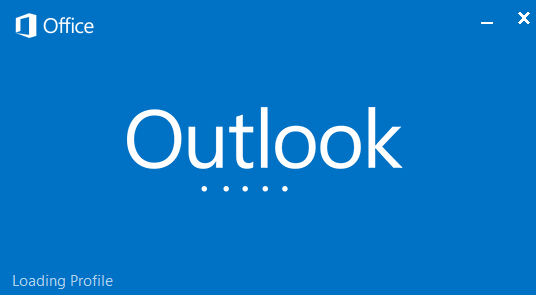
Outlook 2013 is stuck at the loading profile screenTook a call today from a client who said their Outlook would not open or launch, gave a “not responding” error.

This is an easy fix for me and I’ll share with you as an Outlook Expert a few things you can try on your own, and if you need help, call me.

First off, reinstalling Outlook will not fix this issue. Might but I have never done that, so I don’t recommend you do that.

I do recommend you check out how much email you have on your server. You can start by checking your inbox mail count. Look at the bottom left area of your Outlook window and you can see how many emails are in your Inbox. If you see over 10,000….this is a cause for concern. If you have that many in your inbox, then you probably have many more in the sent and deleted folders. I recommend creating a new PST file and moving those emails to the PST file. Don’t fret, Outlook can still search those emails even if they are not on your server.

Next…try checking your add-ins.

Go to File in the upper right corner, go to Options, then on the side bar you will find “Add-ins”

In this window at the bottom, you will see a “go” button, click on that and another window will open. See everything that is checked and determine what you don’t need opening with Outlook. If you are on an Exchange server, be sure to leave that box checked as well as any other 3rd party apps you must use (iCloud, PDF maker, etc).

Now after you have moved emails and unchecked unnecessary Outlook add-ins, close outlook (File/Exit) and re-launch. You might need to do this two times to get it working right.

If you need my help, please fill out my appt scheduler below and I’ll help you with this issue! Thanks for reading and please share if this was helpful for you with my social media share buttons above!

Lisa Hendrickson
Outlook Expert
612-865-4475