Author Archive: Lisa Hendrickson

Lisa Hendrickson is the owner of Call That Girl. She is an Outlook Expert and Microsoft 365 Consultant.

rss feed

Author's Website

How to Import PST into New Outlook

| August 29, 2024

How to Import PST into New Outlook

Hi Folks, This video is going to be helpful for those that want to upload their PST files into a cloud email server (IMAP too!). Exchange and Google Workspace are the most popular but IMAP will allow this as well. If you want to keep up to date with all the changes of the New Outlook, check out my New Outlook Resource Guide


Updated post: June 20, 2025 https://callthatgirl.biz/how-to-import-and-export-pst-into-new-outlook/


I’m doing my best to stay on top of everything New Outlook and it’s going to be one of the most complicated upgrades I’ve ever experienced. I’ve already helped many people migrate their PSTs to use the data in the New Outlook and there is a lot to know. Just giving you a heads up!

Check out this video for all my tips! Subscribe if you enjoyed it and if you liked the video, please hit the like button and comment too!

Reminder to use the form at the bottom of the post if you want to contact me. Thanks!

Email Delivery and Hackers

| August 24, 2024

Email delivery has become a more common request this year due to the changes Yahoo and Gmail have been making with their security requirements. As well, Microsoft is tightening the belt with their security and email delivery, is now becoming a Scooby Doo mission to figure out what is wrong, why it went wrong and how to configure to have email delivered to the inbox, not junk/spam or quarantine.

When clients call me (usually due to being hacked or something is wrong with their clients not getting their emails), we start with an onboarding to review all of their settings with DNS records your domain (.com) manages and in Microsoft 365. Some folks have been hacked recently and are now restricted from email or have a lot of issues since being hacked. I can typically take care of a typical hack in an hour or less. I have a process I follow and then it’s up to you to clean up and let your contacts know. For some clients, they have it worse and they need deeper work done to get their email back to normal delivery. This is where I might need to contact Microsoft or send you to my referral partner who has more in-depth knowledge with the Microsoft 365 configuration.

I always start with my questions, then decide if I can help or call Microsoft or bring in the referral partner. Below is the full list of services we can help with. Use the form at the bottom to schedule a time or call me at 612-865-4475. For clients who got hacked, I try to get you in as soon as possible because you don’t have time to waste. Most times the hackers are still logged into your accounts working the hack. I have seen this many times and kick them out and secure your accounts asap!

Final note: Small business clients typically are subscribed to Microsoft Business Standard (Office, Exchange, Teams, SharePoint, OneDrive) and if you want the advanced Microsoft Security setup and configuration, you will need to upgrade to the Microsoft Business Premium. It comes with a higher monthly price, but you get more with it. My referral tech will review with you before helping. My referral tech also does help by the hour so you can maintain control of your account. He does have options to have him manage it all continuously but not required.

Hackers

  • Secure your account
  • Remove the hackers
  • Review how long they have been in the account
  • Review the email accounts compromised
  • Review break/glass accounts
  • Verify security is setup properly
  • Offer tips on how to clean up
  • If the hack is deeper than usual, offer guidance on how to continue on based on what your issues are

Email Delivery assistance (Update your DNS records for better email delivery)

  • SPF records
  • DMARC (so you can email Yahoo and Gmail)
  • DKIM (better email delivery for Microsoft Exchange)

Advanced Microsoft Security (this work will be done by my referral tech)

  • License Review
  • Authentication Configuration
  • General Tenant Configurations
  • Conditional Access Configuration and Policies
  • Inbound and Outbound Spam and Threat Policies (Defender)
  • Intune Setup and Policies
  • Alerts and Monitoring
  • Defender Management (limited to email side)
  • Multifactor Authentication Configuration


Microsoft Outlook Contacts Clean Up

| August 22, 2024

Microsoft Outlook Contacts Clean Up

Please note: the majority of my clients with contacts clean up is 5+ hours and that rate is $799 per hour. This is a one time database clean up to get your contacts in one account and synched with your phone and all devices. It’s a very complicated project and I will book out the first 4 hours of the project where we will do the majority of the reviewing of databases, your server, your computers and all phones, ipads. Some clients have 20+ to merge and clean up. Gmail, Google Workspace, iCloud, Microsoft accounts, old CRM, old Blackberry, etc.

I have seen some clients with 25,000 contacts, most are in triples, doubles or even more. Most have notes, categories and other fields to work with.

  • Merge any databases from other CRM, Google, Email marketing
  • Merge iCloud with Exchange
  • Merge Google with Exchange
  • Fix duplicates
  • Remove odd characters (% is a common one)
  • Categories, notes, all fields included
  • Add specialty fields
  • Anything else you want, we will discuss during the consultation

To discuss this project and get a quote, please fill out the form below.


New Outlook Resource Guide

| August 12, 2024

New Outlook Resource Guide

Hi folks, this is the page I will keep everything updated as I publish or release the information. Posts are at the top, podcast links are below and my YouTube videos. Enjoy! You can also sign up for my newsletter Newsletter Sign Up

You can sign up for my LinkedIn New Outlook Newsletters, published weekly Subscribe on LinkedIn https://www.linkedin.com/build-relation/newsletter-follow?entityUrn=7306074119194779649

You can also sign up for my Patreon for free to check out my “New Outlook Book” that is in progress right now. Read more here and sign up! https://callthatgirl.biz/new-outlook-book

https://www.patreon.com/c/NewOutlookForTechnicians

Posts: 

New Outlook Features for Gmail Users

Microsoft Access not emailing from New Outlook

How many PST files can you add to New Outlook

Something Went Wrong We ran into an error – Microsoft.Exchange.Data.Directory.ADDriverStoreAccessNonLocalException

How to change the order of accounts in New Outlook

Microsoft Error: Your account has been locked Outlook.com

New Outlook Error This message could not be sent

New Outlook Error: Microsoft.Exchange.Data.Storage.QuotaExceededException

New Outlook Accounts are grayed out cannot remove

New Outlook Gmail has flickering gray lines in inbox emails not loading

New Outlook Cannot Add a New Email Without a Microsoft License

New Outlook Adding a Signture to Calendar Events

New Outlook and the future with 365 Apps

How do I add RSS feeds in New Outlook

Zoom calendar event won’t add to New Outlook

New Outlook Gmail only downloading 10 emails

New Outlook Gmail not receiving new email

FIXED: New Outlook crashing and closing immediately after launching

Top 8 New Outlook Issues

New Outlook Workshops for Technicians

Can you change the subject line in an email in New Outlook?

Where are the Junk Mail options in New Outlook

How to Export Contacts Out of New Outlook

Does Classic Outlook and New Outlook share any data files?

Is iCloud for Windows compatible with New Outlook

Can you use Outlook Classic and New Outlook at the same time?

How to Import and Export PST into New Outlook

Custom Forms and Fields Missing in New Outlook

Where is Journal in New Outlook

Free Expert New Outlook Speaker and Presentations

New Outlook Vs. Outlook Classic Search

How Signatures Work with New Outlook

Older CRM products and New Outlook

How to Import Contacts into New Outlook

How to import autocomplete from Outlook Classic into New Outlook

How to add a Gmail account in New Outlook

How to migrate emails from Classic Outlook to New Outlook

How to move emails from one account to another in New Outlook

How to add Zoom add-in to New Outlook

Where are the quick steps in New Outlook

How to make a rule in New Outlook

Rules are missing in New Outlook

New Outlook Migration

New Outlook Google Workspace Not Sending Email

New Outlook now supports PST files

Yahoo email calendars and contacts sync with New Outlook

We detected a problem launching the new Outlook

Microsoft Outlook is missing

How to setup iCloud in New Outlook

Private instructor-led virtual classes New Outlook

Group Online Training New Outlook

New Outlook Training

How do I import my old calendar in Outlook into New Outlook

Calendar is missing in New Outlook

Does New Outlook Work Offline

How to change the Zoom level in New Outlook

How to print to a PDF in New Outlook

How to Send to OneNote in New Outlook

New Outlook Missing PST Files

New Outlook Will Not Setup an Email

How to analyze email headers in New Outlook

Why can’t I copy folders in New Outlook

Where are Notes in the New Outlook

**UPDATE** Can you drag emails to calendar and contacts in New Outlook?

How to Find Total Number of Emails in a Folder in New Outlook

How to Add New Accounts to New Outlook

Does New Outlook Support POP

Missing Forms in New Outlook

Contacts Missing in New Outlook

How to Import PST into New Outlook

New Outlook Preparation Check List

PST migration to Microsoft 365

Tutorial Step-by-Step How to Import Outlook PST to Microsoft Exchange using Azure

LinkedIn Articles: 

New Outlook Preparation Checklist

New Outlook Vs Classic Outlook

Podcasts: 

New Outlook Podcast Show #5

  • Topics: Microsoft launching New Outlook on Jan 6

New Outlook Podcast Show #4

  • Topics: 7 new issues I came across while helping clients

New Outlook Podcast Show #3

  • Migration Options

New Outlook Podcast Show #2 Top 5 Issues

  • Top 5 issues I see

New Outlook Podcast Show #1 Kick off show

  • My kick off show!

Videos:

How To Import a PST Video

Tutorial and review of the new outlook


New Outlook Podcast

| August 12, 2024

New Outlook Podcast

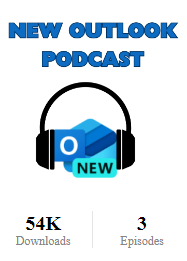
If you enjoy listening to technical podcasts, each week I will discuss stories from the field about the New Outlook as well as other topics. I also have articles on LinkedIn if you want to follow those too. For new listeners, I have been podcasting since 2011. This would be my third show, that’s why I have 54k downloads. I wanted a fresh start with content, so I unpublished the other 110 eposides. New Outlook is a game changer so it deserves the fresh start!

Link to Podcasts https://callthatgirl.podbean.com

Search for “New Outlook Podcast” on Apple and Spotify

LinkedIn https://www.linkedin.com/in/callthatgirl

Close

| August 9, 2024

Your own Virtual CIO (me!)

I will ask you to book your first appointment now, then at each one I’ll send a link so you schedule right away and not forget

  • Quarterly appointments
  • Scheduled for 15 min sessions
  • $240 for a year

Things we will do in each appt

  • Verify updates for Windows and Office
  • Check email size
  • Antivirus
  • Verify your 365 license/when it expires
  • Verify your break/glass accounts
  • Answer any questions you have saved up

Day to day questions you might have aka “Quick Question”

  • Email me before you do any changes with email, technology, phishing scam emails
  • Questions about junk mail/spam, not getting email