RSSCategory: New Outlook

Missing Forms in New Outlook

| September 10, 2024

Missing Forms in New Outlook

If you had custom forms in classic Outlook, as of right now they are not able to convert to the New Outlook (Sep 10, 2024).

Custom forms were not something I got into developing for clients, but I know many that have them and spent a lot of money creating the perfect forms. If you have access to your forms in another version of Outlook or still have access to classic Outlook, I would consider making a list of everything that form did you for you (custom forms can do many different functions) and try to figure out some other options. Feel free to contact me for ideas.

New Outlook so far will only use “365 connected apps” so you might want to find a company that has an app similar to what you need (you can search this in New Outlook (see image below). If you are a larger company needing your own 365 app, then you want to search for a Power Apps consultant. I’m still unsure about where to look for someone as I’m in my first year of researching all the changes New Outlook will have.

Want even more information or use other social media/communities? 

Join my newsletter list

Want to contact me? Fill out the form below!

Contacts Missing in New Outlook

| August 29, 2024

Contacts Missing in New Outlook

Hi Folks, yep, your contacts from classic Outlook might not show up in the New Outlook. Here is why and I’ll give some tips on how to get them from classic to New Outlook.

The New Outlook is cloud server only. Meaning, if you are using a cloud based email program that has contacts included  such as Microsoft Exchange, Outlook.com, Google Workspace, Gmail, Yahoo and AOL (should) then your contacts should show up. The issues is that many of you have (This Computer Only) contacts or PST contacts.

Those contacts need to be exported from classic Outlook to a CSV file and imported into the web browser contacts area to get them into the server. Kind of confusing yes, but it’s easier when I do it maybe. I’ll have a video out soon about how to do it yourself. Keep in mind that any custom CRM, fields, distribution groups, categories might be lost during this export. The only “guarantee” I can offer is to use Microsoft Exchange. It exports the same data (so far), but the New Outlook lacks, well….features you love.

This is my first post about contacts and the New Outlook. I have much more to come in the next year or so.

Want even more information or use other social media/communities? 

Join my newsletter list

Want to contact me? Fill out the form below!


How to Import PST into New Outlook

| August 29, 2024

How to Import PST into New Outlook

Hi Folks, This video is going to be helpful for those that want to upload their PST files into a cloud email server (IMAP too!). Exchange and Google Workspace are the most popular but IMAP will allow this as well. If you want to keep up to date with all the changes of the New Outlook, check out my New Outlook Resource Guide


Updated post: June 20, 2025 https://callthatgirl.biz/how-to-import-and-export-pst-into-new-outlook/


I’m doing my best to stay on top of everything New Outlook and it’s going to be one of the most complicated upgrades I’ve ever experienced. I’ve already helped many people migrate their PSTs to use the data in the New Outlook and there is a lot to know. Just giving you a heads up!

Check out this video for all my tips! Subscribe if you enjoyed it and if you liked the video, please hit the like button and comment too!

Reminder to use the form at the bottom of the post if you want to contact me. Thanks!

New Outlook Resource Guide

| August 12, 2024

New Outlook Resource Guide

Hi folks, this is the page I will keep everything updated as I publish or release the information. Posts are at the top, podcast links are below and my YouTube videos. Enjoy! You can also sign up for my newsletter Newsletter Sign Up

You can sign up for my LinkedIn New Outlook Newsletters, published weekly Subscribe on LinkedIn https://www.linkedin.com/build-relation/newsletter-follow?entityUrn=7306074119194779649

You can also sign up for my Patreon for free to check out my “New Outlook Book” that is in progress right now. Read more here and sign up! https://callthatgirl.biz/new-outlook-book

https://www.patreon.com/c/NewOutlookForTechnicians

Posts: 

Something Went Wrong We ran into an error – Microsoft.Exchange.Data.Directory.ADDriverStoreAccessNonLocalException

How to change the order of accounts in New Outlook

Microsoft Error: Your account has been locked Outlook.com

New Outlook Error This message could not be sent

New Outlook Error: Microsoft.Exchange.Data.Storage.QuotaExceededException

New Outlook Accounts are grayed out cannot remove

New Outlook Gmail has flickering gray lines in inbox emails not loading

New Outlook Cannot Add a New Email Without a Microsoft License

New Outlook Adding a Signture to Calendar Events

New Outlook and the future with 365 Apps

How do I add RSS feeds in New Outlook

Zoom calendar event won’t add to New Outlook

New Outlook Gmail only downloading 10 emails

New Outlook Gmail not receiving new email

FIXED: New Outlook crashing and closing immediately after launching

Top 8 New Outlook Issues

New Outlook Workshops for Technicians

Can you change the subject line in an email in New Outlook?

Where are the Junk Mail options in New Outlook

How to Export Contacts Out of New Outlook

Does Classic Outlook and New Outlook share any data files?

Is iCloud for Windows compatible with New Outlook

Can you use Outlook Classic and New Outlook at the same time?

How to Import and Export PST into New Outlook

Custom Forms and Fields Missing in New Outlook

Where is Journal in New Outlook

Free Expert New Outlook Speaker and Presentations

New Outlook Vs. Outlook Classic Search

How Signatures Work with New Outlook

Older CRM products and New Outlook

How to Import Contacts into New Outlook

How to import autocomplete from Outlook Classic into New Outlook

How to add a Gmail account in New Outlook

How to migrate emails from Classic Outlook to New Outlook

How to move emails from one account to another in New Outlook

How to add Zoom add-in to New Outlook

Where are the quick steps in New Outlook

How to make a rule in New Outlook

Rules are missing in New Outlook

New Outlook Migration

New Outlook Google Workspace Not Sending Email

New Outlook now supports PST files

Yahoo email calendars and contacts sync with New Outlook

We detected a problem launching the new Outlook

Microsoft Outlook is missing

How to setup iCloud in New Outlook

Private instructor-led virtual classes New Outlook

Group Online Training New Outlook

New Outlook Training

How do I import my old calendar in Outlook into New Outlook

Calendar is missing in New Outlook

Does New Outlook Work Offline

How to change the Zoom level in New Outlook

How to print to a PDF in New Outlook

How to Send to OneNote in New Outlook

New Outlook Missing PST Files

New Outlook Will Not Setup an Email

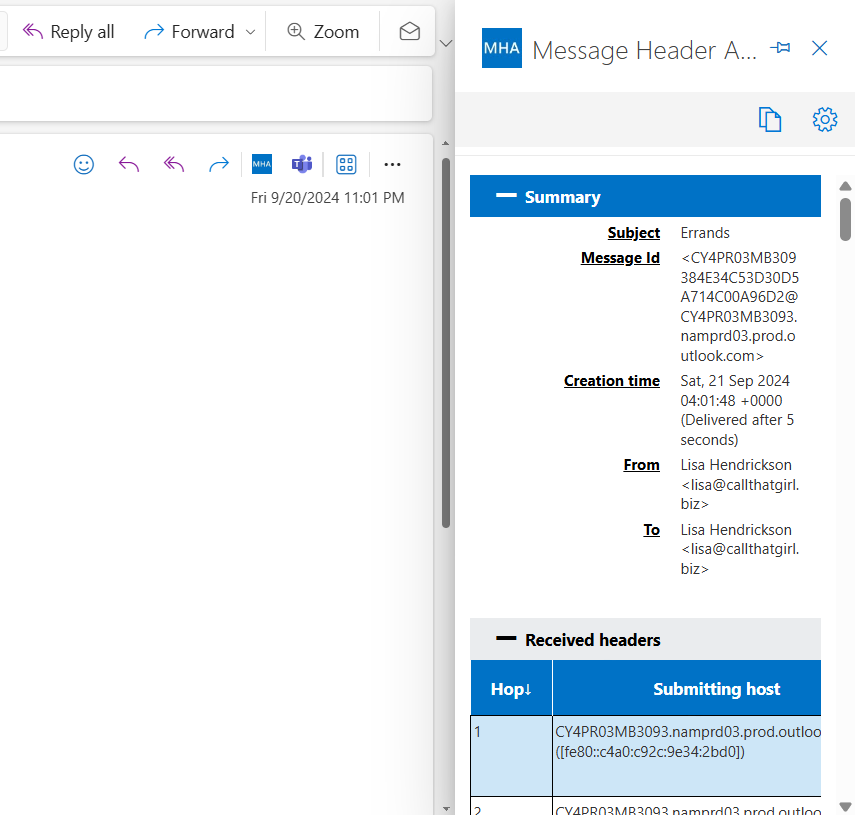
How to analyze email headers in New Outlook

Why can’t I copy folders in New Outlook

Where are Notes in the New Outlook

**UPDATE** Can you drag emails to calendar and contacts in New Outlook?

How to Find Total Number of Emails in a Folder in New Outlook

How to Add New Accounts to New Outlook

Does New Outlook Support POP

Missing Forms in New Outlook

Contacts Missing in New Outlook

How to Import PST into New Outlook

New Outlook Preparation Check List

PST migration to Microsoft 365

Tutorial Step-by-Step How to Import Outlook PST to Microsoft Exchange using Azure

LinkedIn Articles: 

New Outlook Preparation Checklist

New Outlook Vs Classic Outlook

Podcasts: 

New Outlook Podcast Show #5

  • Topics: Microsoft launching New Outlook on Jan 6

New Outlook Podcast Show #4

  • Topics: 7 new issues I came across while helping clients

New Outlook Podcast Show #3

  • Migration Options

New Outlook Podcast Show #2 Top 5 Issues

  • Top 5 issues I see

New Outlook Podcast Show #1 Kick off show

  • My kick off show!

Videos:

How To Import a PST Video

Tutorial and review of the new outlook


New Outlook Podcast

| August 12, 2024

New Outlook Podcast

If you enjoy listening to technical podcasts, each week I will discuss stories from the field about the New Outlook as well as other topics. I also have articles on LinkedIn if you want to follow those too. For new listeners, I have been podcasting since 2011. This would be my third show, that’s why I have 54k downloads. I wanted a fresh start with content, so I unpublished the other 110 eposides. New Outlook is a game changer so it deserves the fresh start!

Link to Podcasts https://callthatgirl.podbean.com

Search for “New Outlook Podcast” on Apple and Spotify

LinkedIn https://www.linkedin.com/in/callthatgirl

New Outlook Preparation Check List

| July 29, 2024

New Outlook Preparation Check List

Hey folks! Due to the upcoming changes with Microsoft, I’m setting up a service specifically for those who want to know everything they need to know to get ready. Yes, it might be years away but Microsoft can tend to change things up quickly and it’s important you know what will be changing for you with your current Outlook configuration. I’m already helping people now because they have tested the New Outlook and like it better than classic, so we are migrating all their data to platforms so they can use the New Outlook.

If you are only using a business domain account with Microsoft 365, more than likely your data will all convert with some minor changes. I’m happy to do a spot check with you either way.

If you are using IMAP, POP/PST and Yahoo, Gmail, etc. This appt will be important for you in the future.

Here is the checklist of topics I can cover in a 30 min – 60 min session:

  • Review your email accounts and discuss each one and how it will work in the New Outlook
    • Example: You can’t use iCloud in the New Outlook if you have another email account using your iCloud user name (Apple ID). This is very common for my clients to use one email address for everything.
  • Review your mailbox sizes limit on the server and what it can handle
    • Create solutions for all your data to get into a cloud server of your choice
  • Review your PST files. We will decide if you want to move them to a Business 365 Microsoft account or a Personal 365 Microsoft Outlook or another platform such as Google, Gmail, etc.
  • Review your Outlook contacts, calendars, tasks and notes. Everything in the New Outlook is different, that data will need to get migrated as well.
  • If you are a heavy tasks user, then we will discuss how that will change using the New Outlook
    • This is very important to know if you are an Android user
  • Review your phones, iPhone and Android users have different mobile apps and each has different synchronizing capabilties
  • How to migrate your memory of contacts, these are the names and emails that show up when you start typing an email
  • Review your rules, quick parts and templates
  • Review Zoom, Teams, CRM, ACT, Any other add-ins, 365 Connectors
  • Security for all email accounts
  • Personal and Business 365 accounts and licenses
    • After our discussion, you might want to change or upgrade depending on your needs
  • I’m always going to recommend domain IMAP users move to Microsoft Exchange. If that is not feasable, there are other options to just move your data to an Outlook.com account (free Microsoft 365 Exchange server)
  • Create a mapping of all of your DNS, 365, all email accounts

I might think of some more to cover, but this is what I find is typical of from my past client requests.

To schedule your session, use this link — Click here to schedule