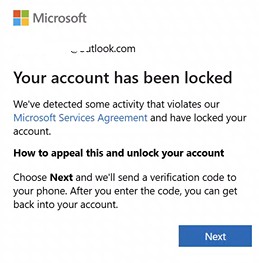
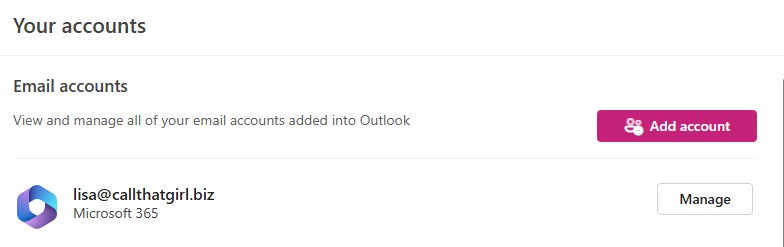
New Outlook Error 080073cf8 New Outlook would not launch, so I tried to uninstall it, But it didn’t uninstall. It would not no matter what I tried. I got the error “You cannot uninstall Outlook” as well. Quick Answer on how I fixed it I typed this in the run line %localappdata%\Microsoft Deleted the OLK […]
Author Archive: Lisa Hendrickson
Lisa Hendrickson is the owner of Call That Girl. She is an Outlook Expert and Microsoft 365 Consultant.
Mastering New Outlook Webinar Series: Master Your Inbox, Calendar & Tasks
Register here: New Outlook 4-Part Webinar Series: Mastering Your Inbox, Calendar & Tasks » TRACCreations4E
Clients, online followers and newsletter subscribers, I have been working with Teresa Cyrus since last winter on New Outlook. Her and I have found a great partnership regarding New Outlook. As you know I’m more on the technical side and she is on the training side. Partnering and helping each other made so much sense. I have offered her a space on my platform to offer you all a small bite of what New Outlook will be like in the future. By 2029, this is our future. Many of you will be moving to New Outlook and might want to know what is coming and there is a lot! Teresa is covering much of it in these 4 sessions.
I will be hosting and moderating the chat, she will be lead presenter.
With New Outlook comes New Workflows—this 4-part series shows you how to master them all.
$50 to attend all 4 sessions, these will be recorded. Presented once a week starting Oct 3, 10, 17 and 24.
Register here: New Outlook 4-Part Webinar Series: Mastering Your Inbox, Calendar & Tasks » TRACCreations4E
Presenter:
Teresa B. Cyrus, TRACCreations4E
Founder | Certified Trainer | MVP
Designed for business and administrative professionals, team leads, small business owners, IT professionals, and anyone curious about the New Outlook features, this series will help you take control of your inbox, calendar, tasks, and communications with confidence.
- You’ll Learn step-by-step with live demonstrations
- Walk away with ready-to-use workflows you can apply immediately
- Boost productivity for both individual and team collaboration
Dates: October 3, 10, 17, and 24
Time: 3 PM Eastern Time Zone (1 hour each)
Price: $50 for all 4 sessions (limited-time offer — that’s $12.50 per session)
Session Topics:
- New Outlook Inbox: Accelerate AFTER Inbox Management
- New Outlook Calendar Mastery: Smarter Scheduling & Workflows
- Managing Tasks Made Easy With To Do & Planner
- Bonus: Professional Newsletters in Outlook, No Extra Tools NeededNote: Each session includes live demonstrations of the latest New Outlook features, which may differ from published videos as Microsoft continues to roll out updates.
Session Descriptions:
New Outlook Inbox: Accelerate AFTER Inbox Management
With TRACCreations4e signature AAIM system, you’ll take control of your inbox and supercharge your productivity. Learn how to:
- Automate filing to declutter and review actionable messages faster
- Prioritize follow-ups to stay on top of important requests
- Archive files to keep information accessible while keeping your inbox clean
This session equips you to conquer your inbox with efficiency, giving you more time to focus on what truly matters – right now.
New Outlook Calendar Mastery: Smarter Scheduling & Workflows
Discover powerful scheduling tools designed for today’s hybrid workstyle. See practical demos of how to:
- Streamline meeting scheduling with new and enhanced tools for hybrid work
- Simplify workflows for in-person and follow meetings with improved filters
- Save time with hidden gems like composing tips and auto-online meetings
- Avoid scheduling mix-ups by confidently distinguishing between appointments and meetings
Managing Tasks Made Easy With To Do & Planner
Managing tasks doesn’t have to be a chore! In this dynamic session, you’ll learn how to:
- Stop using your inbox for tasks and break free from email overload
- Manage Personal Tasks in To Do to stay aligned with your team
- Create organized task groups to share and prioritize like a pro
- Manage project tasks in Planner to collaborate and track progress seamlessly
Walk away with practical tools and a clear game plan to conquer your to-do list and simply your work day – all day – every day!
Create Professional Newsletters Directly in Outlook Without the Hassle
Learn how to build polished newsletters right inside Outlook for Windows, Outlook on the Web, or dedicated website. In this session, you’ll:
- Access and enable the Newsletter feature
- Design a consistent format for internal updates
- Share newsletters externally using a simple workaround
If you manage communications, this session will help you streamline the process without switching tools or purchasing a third-party app.
Target Audience:
- Business and administrative professionals who want to streamline their daily email, calendar, and task workflows
- Team leads and managers seeking smarter scheduling and collaboration tools
- Small business owners and entrepreneurs looking to manage communications without extra software
- IT professionals and power users who want to stay ahead of New Outlook’s evolving features
- Anyone curious about the latest New Outlook features and how to use them effectively
Reserve your spot today—space is limited. Gain New Outlook skills that save you hours each week and transform how you work.
Microsoft Teams is Missing Teams in Desktop Application
Helped a client with this today. Logged in her computer and saw her 25+ teams missing, only two listed. I did the usual troubleshooting.
Reviewed control panel, uninstalled all old Teams
Logged in online, downloaded Teams for desktop again
Launched, still missing.
Signed out of the account and launched again, and it didn’t ask for login info/security.
Teams showed up! Victory!
That’s all I did, no need to delete cache and all that.
New Outlook Accounts are grayed out cannot remove
Long title, big problem! I have now seen this twice. This error usually is found when you add email accounts and the inbox is flickering gray lines. Same resolution.
Here is what I did, should work for you:
- I tried to remove the account, it was gray also, could not remove.
- My next step was to set up Outlook Classic, and added only one account.
- Then I hit the blue toggle at the top right to switch back to New Outlook.
- Launched New Outlook, then the email downloaded and I could remove accounts again, but I didn’t need to, they worked out.
Fun trick huh?
This is one of many New Outlook errors coming, if you need my help, please fill out the form below. Also check out my Patreon to read my “New Outlook Book”
https://www.patreon.com/c/NewOutlookForTechnicians/
New Outlook Gmail has flickering gray lines in inbox emails not loading
Long title, big problem! I have now seen this twice. Client has all the emails setup but the inbox is flickering gray lines.
Here is what I did, should work for you:
- I tried to remove the account, it was gray also, could not remove.
- My next step was to set up Outlook Classic, and added only one account.
- Then I hit the blue toggle at the top right to switch back to New Outlook.
- Launched New Outlook, then the email downloaded and I could remove accounts again, but I didn’t need to, they worked out.
Fun trick huh?
This is one of many New Outlook errors coming, if you need my help, please fill out the form below. Also check out my Patreon to read my “New Outlook Book”
https://www.patreon.com/c/NewOutlookForTechnicians/