Tag: Cannot start Microsoft Outlook

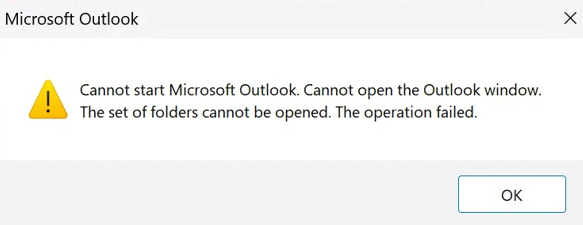
Cannot start Microsoft Outlook. Cannot open the Outlook window. The set of folders cannot be opened

| May 7, 2026

Cannot start Microsoft Outlook. Cannot open the Outlook window. The set of folders cannot be opened

This can be a snaggy error to fix. I have seen this error for years with Microsoft Exchange. Lately the fix for me has been to delete the 16,454 KB size file in the app data folder.

Usually I back up any file I delete but this one is not really a data file that works with the OST, when you set up new Outlook profile it just makes it. And this can get snagged up I believe.  If you delete it, then try reopening Outlook it might work. If not make a new profile (don’t delete the old one), set Outlook to open new profile. See if it performs better.

I also had to run 365 updates on my last client to get it working.

If not, then you might have other issues such as a VPN problem, Antivirus or Firewall.

If you need help, please use the form below.

Cannot start Microsoft Outlook Cannot open the Outlook window

| March 9, 2024

Cannot start Microsoft Outlook. Cannot open the Outlook window. The set of folders cannot be opened. The operation failed.

Update: please check out my latest blog with this problem: https://callthatgirl.biz/cannot-start-microsoft-outlook-cannot-open-the-outlook-window-the-set-of-folders-cannot-be-opened/


Cannot start Microsoft Outlook. Cannot open the Outlook window. The set of folders cannot be opened. An unexpected error has occurred

| February 17, 2020 | 0 Comments

Cannot start Microsoft Outlook. Cannot open the Outlook window. The set of folders cannot be opened. An unexpected error has occurred

This error might be a doozy to repair. This specific error was coming up each time the computer restarted and would make a new profile when trying to open Outlook. This is usually not a Microsoft Exchange issue but a Windows/Outlook issue. I know how to troubleshoot Outlook pretty fast and each one of these small efforts were what I tried to eventually get it fixed. If you are not fast and don’t know what you’re doing, you might want to call me to help.

  • All Windows updates were current, very important to check this first and 1909 is almost required at this point.
  • The Windows account was logged into a weird Microsoft account, signed out and went local. Signing into Windows with an email account also in Outlook can have issues.
  • Deleted all the credentials for Office 365
  • Downloaded 32 bit Office 365
  • Deleted the registry keys for Outlook (back up first!)
  • Removed all the profiles in the mail app in control panel –if you need to do this, backup the OST files before deleting the profiles
  • Reset passwords
  • Launched Word and logged in with the Office 365 account