Author Archive: Lisa Hendrickson

Lisa Hendrickson is the owner of Call That Girl. She is an Outlook Expert and Microsoft 365 Consultant.

rss feed

Author's Website

Best SEO Expert

| August 13, 2017 | 0 Comments

If you are out looking to hire the Best SEO Expert (I know this is a bit much posting this but it worked right?), I might be able to help but only if you are looking to have local SEO and searches.  You will also need WordPress. If you need local and have WordPress, I can help you with your SEO. Need proof that I’m a top SEO expert? Check my keywords below, proof is in the search!

The keywords listed below do not in any way match my domain, I rank high because I have been blogging for the past 8 years on the topics below. But this blog you found is new to Google and I have almost no matching keywords.

I rank on Page 1 for the following keywords and some rank 1.

  • WordPress SEO Expert

  • Outlook Expert

  • Office 365 Expert

  • Outlook Consultant

  • Office 365 Vendors

  • G Suite Expert

  • OneNote Expert

  • OneDrive Expert

  • Google Apps Expert

  • Gsuite Expert

  • Microsoft Exchange Expert

To check out my new SEO business and learn how I can help you rank higher on the internet and in your local town, click here! http://ifoundyouontheinternet.com


Best SEO Company in the World

| August 13, 2017 | 0 Comments

If you are out looking to hire the Best SEO Company in the World  (I know this is a bit much posting this but it worked right?), I might be able to help but only if you are looking to have local SEO and searches.  You will also need WordPress. If you need local and have WordPress, I can help you with your SEO. I also offer SEO and blogging coaching.

To check out my new SEO business and learn how I can help you rank higher on the internet and in your local town, click here! http://ifoundyouontheinternet.com


How to Start a Computer Repair Business in 2017

| August 13, 2017

Welcome to my How to Start a Computer Repair Business in 2017 series of blogs.  Every story, example and tip is based on my past experience of onsite repairs, offices, stores and finally going remote support only.


Let’s get going!

I’m going to guess if you are out Googling “How to Start a Computer Repair Business”, you are seeking advice and want to learn from  experts on what you should do. Let me first ask you, why do you want to start a computer repair business? Do you have the passion to work for yourself? Do you not like working for others? Do you want a variety of work not limited by your current employer? Do you want to make more money or grow a large support company? These are the most common reasons techs venture out on their own. But are you one of those that can take it to the level of running a successful computer repair business? Do you have what it takes to be self-managed and wear many hats? Owning a business is more than fixing computers! Owning a business in any industry means you work work and work and work some more. The work is not fixing; it’s managing, doing paperwork, marketing and much more (these things…are not everyone’s favorite). As you read through these blogs, I hope you find enough positive and encouraging information to keep you on track to start your own business.

Moving ahead…

Consider this a guide of sorts based upon my knowledge and experience since 2003. This first blog post is a short story about how I got started and a bit about me. Below is the list of blogs and the topics I cover in this series.

  1. How to Start a Computer Repair Business
  2. Tips on Starting a Computer Repair Business
  3. Deciding on What Type of Computer Repair Business you want to Start
  4. What You Need To Start Your Computer Repair Business
  5. Business and Legal Information for Computer Repair Businesses
  6. Products and Services Your Computer Repair Business Can Sell
  7. Tools You Need to Start Your Computer Repair Business
  8. Guide to Pricing Your Computer Repair Business Services
  9. Free Marketing Advice for Computer Repair Businesses
  10. Resources for Computer Repair and Support Businesses
  11. Computer Repair and Support Podcast Shows
  12. How to Grow Your Computer Repair Business
  13. How to Start a Remote Support Business
  14. Do You Need Certifications to Start a Computer Repair Business

So you may ask….What is my experience?

In 2007, after being let go from a 2 week position with a law firm because “I didn’t fit in” (probably because I smoked and had visible tattoos), I came home with hot coffee in hand, sat down and started putting resumes out again. By noon, I was already sick of looking for the next job I would probably hate and had decided that I was done with this corporate life (7 years) and wanted to do Call That Girl (CTG) full-time. I started CTG in 2003 while I was between jobs, but never could commit full-time. I really didn’t feel “ready”.  Now was the time though, I felt more than ready. Nothing makes you more ready than just getting fired from a job you didn’t like anyway. So I figured I could do this or die trying. I hated working for others. I was always the type that just liked running my own show at any job. I  worked too hard, I had too much passion and liked working nights and weekends. I was built to be an entrepreneur. Done! I’m doing it! I spent all afternoon feeling excited and started writing down ideas I had for the new CTG. I made list after list, and scoured Google for information. No one I knew owned a business and I really was all alone on this venture. By 5:00 pm I had purchased CallThatGirl.biz because the .com was not available, but that didn’t bother me. I just knew I had to have something and find someone to create my website. I was ready to get going and I had a mission….new job, new business, new life. I spent the weekend feeling elated I was doing this, even though I had no idea what I was doing. I didn’t have hardware experience, I was a software tech, all I knew was that I liked supporting clients and taking care of tech problems. I was a helpdesk tech!  A neighbor gave me one piece of advice that I will be eternally grateful for, “Go to networking events” and this is not “computer networking events” but rather “face to face meetings.” I had no idea what she was talking about, so she sent me an invite to one meeting, and after attending I was hooked from the get go. I loved getting out, meeting others and talking to them about their needs and more importantly, talking about me and my business! So as CTG started to gain strength over the next few years… I networked, marketed, failed at some ideas, succeeded at some, learned the hard way.  I grew my company to three stores,  16 employees, closed all three stores and now run the company I finally wanted to run.  What I have passion for: My remote support only company. Yep, that is it in a nutshell! As we move along the blog series, I will give advice the best I can. I wish you well with your adventures in business! Each blog will end with my eBooks that I sell, (all excellent step-by-step guides) and other eBooks and free technical resources. Feel free to send me a comment if you want information added, or just want to send me a comment. Thank you!

Click here to read the next blog –> Tips on Starting a Computer Repair Business 


Call That Girl’s eBooks and Training Videos

Welcome to my eBooks and Videos sales page. Below you will find everything I sell and support as well as some free information at the bottom.
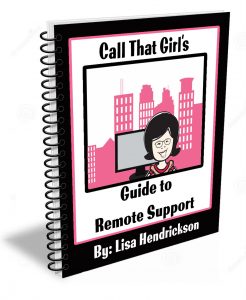
Lisa’s eBooks, all 5 eBooks $39

The Remote Support Guide (Best seller!)

  • A step by step guide to setting up your business to have a successful remote support business
  • Tips and information on how to service your clients remotely
  • How to increase your daily sales with new services, prepay tickets and daily monitoring plans
  • Includes templates for email booking appointments, client & project agreement forms, terms and conditions, small business proposal, pricing guidelines and scheduling appointment forms.

The Manual of Operations 

  • This is an old document but many still like using it for a template
  • 40 page Word document
  • Delivered as a Microsoft Word Template, easy for “cut and pasting” your business name into the document
  • Standard operating procedures
  • Employee conditions for employment
  • Job descriptions
  • Human Resources policies
  • Much more…

The Social Media Guide 

  • 29 page workbook style (outdated but have valuable info!)
  • Great tips and tricks that I learned the hard way
  • Easy to understand steps on how to push out social media messages
  • Newsletters, blogging and WordPress information
  • Toolkit information you will need and other things you will need to use social media
  • A social media to do list
  • How to do a social media blast

The Guide to Microsoft Exchange Migrations 

  • 22 page PDF
  • Step by step instructions on how to do a migration without tools with screenshots
  • Learning how to back up current mailboxes, calendars and contacts
  • Learn how to update the DNS for migration
  • Importing mail/calendars and contacts into new server
  • Aftercare lists
  • How to sell administrative support tickets

How to Start a Computer Repair Business 

  • Get all the free blogs in a 48 page PDF
  • Conversational Style Guide


$199

Created just for technicians! Outlook is a program that contains a lot of data, lots of moving parts and offers 100’s of features which are all guaranteed to break at some point. As well, it’s the program most used with the Office 365 Business Plans. These videos will train you how to properly prepare, repair and learn Outlook in a 360 view.

What you get with your purchase

  • 7 videos
  • 4 hours of intense training ~each made in short videos so you can stop & practice
  • Access to Lisa’s private Facebook group

 

SEO/Google Ranking Services

Get found today! So many technician friends I know have great websites up, but not many have good SEO to help them get found. My services help you get found by creating content in your website using your location and your services. I have a starter set for $450 and buy as you like “next level” for $175. No contracts, no monthly fees, just buy as you want.

Click here to learn more and get found on the internet! If you can’t be found, you can’t be called right? 


Free Learning Guide


Sign up for my newsletter

 

Check out my Podcast


Need to Hire Me? Below is a list of tech to tech services I provide. Contact me below.


  • Outlook Expert
  • Exchange Migration Coaching
  • Exchange Migration Management
  • Client Outlook Training
  • OST recovery
  • Email investigation


Microsoft Office365 E5 Providers

| August 12, 2017 | 0 Comments

Microsoft Office365 E5 Providers. If you are out searching for a company to help your company provide and support Microsoft Office365, I can assist with finding a good match for your company and have many referrals for you. Smaller companies are finding that Microsoft will not sell the E5 plan unless you have 50 end users or more. This is why Microsoft refers those under 50 to a CSP partner. Finding a partner by Microsoft recommendations is not your only choice. I am a well connected in the technical communities and know of many smaller companies that will offer great sales and support. As well, you can work with Call That Girl (Outlook Expert) on extended support needs.

Not every company offers the same plans, so I recommend you review your company’s end user count, support needs and a budget. Also consider if you want to have a month to month contract or a yearly contract. Many yearly contracts offer more for support. Month to month contracts usually cover basic support but outside issues will be billed by the hour. Some companies offer prepay ticket plans.

Where does Call That Girl come into play and why are promoting this blog? We have a prepay ticket that clients purchase for issues outside of what the other companies might not provide, such as extended training, 3rd party applications, basic SharePoint training, contact management, etc. Anything outside of what they support, we can help with.

Once you know your budget and what you want included in your Microsoft Office 365 E5 plan, contact us and we will do a short consult over the phone and I will put you in touch with a couple of Microsoft CSP Providers you can interview and work with.

Review my Prepay Tickets here https://callthatgirl.biz/pricing-expectations

Use my form below to get in touch, thank you and I look forward to working with you!


Microsoft Office 365 E5 Providers

| August 12, 2017 | 0 Comments

Microsoft Office 365 E5 Providers. If you are out searching for a company to help your company provide and support Microsoft Office 365, I can assist with finding a good match for your company and have many referrals for you.

Smaller companies are finding that Microsoft will not sell the E5 plan unless you have 50 end users or more. This is why Microsoft refers those under 50 to a CSP partner. Finding a partner by Microsoft recommendations is not your only choice. I am a well connected in the technical communities and know of many smaller companies that will offer great sales and support. As well, you can work with Call That Girl (Outlook Expert) on extended support needs.

Not every company offers the same plans, so I recommend you review your company’s end user count, support needs and a budget. Also consider if you want to have a month to month contract or a yearly contract. Many yearly contracts offer more for support. Month to month contracts usually cover basic support but outside issues will be billed by the hour. Some companies offer prepay ticket plans.

Where does Call That Girl come into play and why are promoting this blog? We have a prepay ticket that clients purchase for issues outside of what the other companies might not provide, such as extended training, 3rd party applications, basic SharePoint training, contact management, etc. Anything outside of what they support, we can help with.

Once you know your budget and what you want included in your Microsoft Office 365 E5 plan, contact us and we will do a short consult over the phone and I will put you in touch with a couple of Microsoft CSP Providers you can interview and work with.

Review my Prepay Tickets here https://callthatgirl.biz/pricing-expectations

Use my form below to get in touch, thank you and I look forward to working with you!


Do You Need Certifications to Start a Computer Repair Business

| August 12, 2017

Do You Need Certifications to Start a Computer Repair Business

Welcome to Call That Girl’s Guide to starting a computer repair and support business blog series. If you found a blog out of order, you can start with the first blog by clicking here How to start a computer repair business. Each blog will lead you to the next one until you reach the final blog.

In this series I will give tips, examples and information about how to start a computer repair business that I learned my way. I will also offer help on what type of computer repair business to start, business and legal information, products and services you can sell, tools your computer repair business might need, a guide to pricing, a list of resources, and marketing advice.

In this blog, I will talk about certifications and starting your own computer repair business.


In our industry, as far as I know…we are not regulated by the government (at least in the USA). We do not have to have a computer repair certificate or be A+ certified, or even have any type of background in computer support & repair to open a business. Heck, you don’t even have to know anything about business. So basically, if your neighbor who is handy at building computers decides to open “John’s Computer Builds” and runs it out of his house, he can do that. Now it’s up to him to follow the laws of his city, state and the federal government in terms of taxes, etc. If your area requires a license, be sure to have it. If you’re not sure, call your local city office to find out. I personally have no certifications and my business has not suffered from it. So please read my info below, and use it as a guide. As I’m not sure what type of computer repair business you want to start, this is just a guide. You might need to ask other techs, or get counsel from a local tech company.

Below are some questions you may have and my answers to the best of my knowledge.

  • Do certifications help you be a better business owner? Not in my opinion. Running and operating a computer repair business does not require certifications. It requires passion and the ability to service clients in terms of technical and customer service skills.
  • Do certifications make you a better tech? Only you can make yourself become a better tech. Some of the best techs I know do not have any certs.
  • Do certifications help you get more clients? Maybe. Some care and want certs, some just want the job done right and to be treated well.
  • Do your clients care if you have certifications? Maybe, not many ask me if I have any. Those that do, I tell them “I got my certs from the streets, I have 18 years of experience and certs don’t always help in real life scenarios.” It’s true, though. I can’t find a cert that fits my skill set anyway!
  • Should you get certifications for what you want to service and sell? Sometimes you need to be certified for some software and some hardware. As far as I know, most basic software tools we use as an industry do not require certs (antivirus, etc.).
  • What if I’m supporting a certain manufacturer, such as HP or Dell? If you want to become a local tech contracted by some of the bigger firms such as  Field Nation, Work Market, etc… then they might ask you to be certified for some manufacturers, or you might be able to get more jobs.
  • Should you be A+ certified? I am a software tech, so A+ cert would not be helpful to me at all. I did take the test though and failed. I also had 11 extra screws in the PC build I did during the A+ class. Good sign I was not going to build computers. But…. Professor Messer is the guy you want to follow to know more! http://www.professormesser.com/ He offers great daily quizzes and has a YouTube channel, training courses, study groups, etc.
  • What if I want to start a MSB business, do I need Cisco network certs? CCNA? I would think yes (but then again, I don’t know…check with other techs on this), networking and servers are very technical and unless you are leaving a job where you have a lot of hands-on experience, the cert is probably a must have, not only because of the knowledge you need, but the training behind it is not “normal” tech work.