
How to disable emojis in desktop Outlook
How to disable emojis in desktop Outlook
Open Outlook Classic
In the upper right area of Outlook, click on the notifications bell.
Notifications will open, click on the gear on the far right of that window
Select the notifications you want disabled:
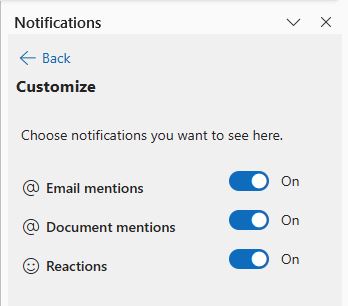
This should disable them. If you need my help with anything Outlook/365 related, use the form below.
Category: Outlook Support

About the Author (Author Profile)
Lisa Hendrickson is the owner of Call That Girl. She is an Outlook Expert and Microsoft 365 Consultant.Subscribe
If you enjoyed this article, subscribe to receive more just like it.

