Free Marketing Advice for Computer Repair Businesses
Welcome to Call That Girl’s Guide to starting a computer repair and support business blog series. If you found a blog out of order, you can start with the first blog by clicking here How to start a computer repair business. Each blog will lead you to the next one until you reach the final blog.
In this series I will give tips, examples and information about how to start a computer repair business that I learned on my own initially and then later on through the help of online technical resources & friends.
I will also offer advice on what type of computer repair business to start, business and legal information, remote support, products and services you can sell, tools your computer repair business might need, a guide to pricing, a list of resources, and marketing advice.
Now once you have things set in place to start your computer repair business, your business stuff, your tools and everything else, you have to get on with marketing your computer repair business. This for me was the extremely fun part. I think I had so much fun with this because I was so new to it and didn’t know what I was doing and was learning a ton about business from others. And remember my first blog when I talked about working all weekend building my lists? Marketing was most of it, even though I had no idea what I was doing. I knew I had to come up with tons of ideas and fast.
I’ll begin with definitions of marketing and advertising.
Marketing: the action or business of promoting and selling products or services, including market research and advertising. (to me, marketing has a longer term effect)
Advertising: the activity or profession of producing advertisements for commercial products or services. (to me this means… newspaper ads, TV ads, Radio, flyers, more short term effects)
So really, you need to do short and long term marketing and advertising, but this will be determined by your budget. We will discuss budget in another blog. I’ll start with a list of things that I did in the beginning and things I would do now that I know more.
- Get your website up and running (after you get your logo done of course). If you are handy enough to do it yourself, great! Of course since I just wrote an SEO for WordPress guide, I recommend using WordPress. If you are not handy enough to do your site yourself, you can talk to my website/WordPress guru, Rebecca, and she can help you with a simple computer repair website for $500. Click here to read more.
- Business cards, super duper important! Once I got my logo, I had my designer do a card template and I uploaded to VistaPrint and ordered 250 cards. Sooner than I thought, I was ordering another set of 500.
- Business domain email, please do not use a Gmail or free email service if you are running a computer repair business. When you buy your domain, I recommend only using your business email for business. It’s just my opinion, but clients judge you by first impressions and if you give them a card that says “Justin@Justinspcrepair.com” it looks better than “justinspcrepair@gmail.com” Right? Yeah.
- Go set up all of your social media, Yes if you want to that is! It’s not for everyone. Sign up though if for anything to secure your names on the pages. I recommend of course the big ones, Twitter, Facebook, LinkedIn, Instragram, YouTube and G+. Grab any others if you want, but these are what I use.
- Get a newsletter program in place, you will need this. Once you start getting out there and networking with others face to face, you will want to add them to your newsletter and social media. Stay on top of this! I recommend using Constant Contact, very user friendly and affordable. Click here for 60 free days.
- Get out and find face to face networking events.
- Common groups are BNI. I never did join a BNI group, but did consider it once. Many techs SWEAR by these groups. What you can do is attend as a guest two times, then decide to join. From what I remember, the cost is in the hundreds per year, but if you go to the meetings and follow their program, it works.
- Try to find local business expo’s. I launched Call That Girl at a women’s expo in 2008. I decided to put $2,4oo into this because it was a huge expo in Minneapolis and knew it would help me not only meet new clients, but business contacts. Prior to exhibiting at the expo, I did attend many expo’s and knew that even paying $100 for a smaller expo was well worth the “meet and greet” time you get.
- Check out your local Chamber of Commerce. Usually these groups have a fee and offer many monthly meetings you can attend, most should have a local expo as well.
- As you get out there and attend events, present yourself as a local “expert” to do free speaking engagements to groups. This was a huge win for me in the beginning. I talked about computer issues and answered questions. It’s a good chance to get your business card out there
- Talk to the local press. I got lucky and they came to me many times (new business, found me on social media), but on occasion I did approach them and announced my business and it helped immensely with my third store. We got on page 1 and immediately saw clients walking in the door.
- Social Media, where do I begin here. What I did in 2007 and 2008 will be completely different than what you all can do now with it. Back then, it was a mad rush of adding more contacts, friends and whatnot! It was really crazy! I did write an eBook/Guide about Social Media and while it’s still very relevant, you have to have a game plan for social media to work. Posting out a “hey, here is my business!” is not good enough. And now, pushing out your spam (I love my spam btw) has to be done in a manner that your networks find as “value” and not spam. It’s a game, really. But in time you will figure it out. If you want it to work, you have to work on it all the time. Hire it out if it’s not for you!
- LinkedIn, I have a special spot for LinkedIn and while it’s not bringing in the clients it used to (years ago) the value of being on LinkedIn, connecting and joining local groups is still great. Before you jump in and pay the monthly fee and upgrade, check out my blog entry I wrote in 2014, 10 Reasons why you don’t need to upgrade to premium LinkedIn.
- SEO/Google is HUGE for your business. Most people are out there looking on their phones and tablets/iPads now and it’s super important to be listed in Google. You can do many things, depending on the business you are starting. Google Places allows you to “stamp your location” on their Google Maps for services searches. You can pay for Google Ads. I called Google to have a sales rep help me with this because I really didn’t understand it. Right now, I pay about $100 per week for my calls in and so far, I’m getting in about 12 times back per month on that investment. Back when I first started out, I didn’t do anything with Google. It took me finding out that my own blogs were generating call-ins that sparked me to do more blogging and then creating the magic formula to get higher rankings. And of course, then paying Google.
- Find local partners like website designers, other computer shops, or people who work in the IT industry and become “referring partners”. Some of us don’t watch or track the referrals, but if you want to, you can earn a good commission off a referral.
- Hand and Foot, many days of this! When I opened my first office/store (yeah, hard to explain), I went out to the community and handed out tons of brochures and cards. I think overall I got 5 new clients and it was a great experience to get out and pitch.
- Truck Advertisement, a must have if you are mobile or on the road. I started out doing this and made $7000 the first year. I was out in the streets of Minneapolis all day and practically all night! So if you are mobile, it’s a thing to do ASAP. I put simple graphics on my truck for $300. Just this year I re-designed for $600, a nice upgrade.
- Print Advertising. Of course everyone used to think YellowBook was the cat’s meow. Now people are less into it and even their online option is junk compared to Google Ads. But yet, there are still folks that get into their program. Phone books should go away at some point, but I have to say that…. honestly, many years ago I did some YellowBook ads (2008) and still on occasion get the random call from someone who has an old book! Weird! But when I was doing the ads, they did seem to at least pay for themselves, it does take time and from what those who love phone books say, “they used to make tons of money” and they put in “tons of money”, I don’t think that is the case anymore.
- Mailers. Yep, tried this too. I went to the library and extracted out 1000 zip codes and bought a post card from VistaPrint and mailed them out. Got one call, almost squeaked the bill for that. I think I lost $60.
- Brochures. When I was just starting out, I created my own brochure, printed them at the local FedEx and mailed them out to 150 zip codes (library again) and of all things, one lady called me and ended up being one of my first and favorite long term clients. So the brochure printing and mailing totally paid off!
- Magazine ads, probably not worth it for me. I was in a large metro area, and I got one call from one magazine and a handful from another. The cost of the ads get a good return on the investment. This is my experience though, so if you try it, my only recommendation is you don’t get caught up in a long term contract that is hard to get out of!
- Bathroom ads generated one call. It’s all up to you on this one!
Call That Girl’s eBooks and Training Videos
Welcome to my eBooks and Videos sales page. Below you will find everything I sell and support as well as some free information at the bottom.
The Remote Support Guide (Best seller!)
- A step by step guide to setting up your business to have a successful remote support business
- Tips and information on how to service your clients remotely
- How to increase your daily sales with new services, prepay tickets and daily monitoring plans
- Includes templates for email booking appointments, client & project agreement forms, terms and conditions, small business proposal, pricing guidelines and scheduling appointment forms.
The Manual of Operations
- This is an old document but many still like using it for a template
- 40 page Word document
- Delivered as a Microsoft Word Template, easy for “cut and pasting” your business name into the document
- Standard operating procedures
- Employee conditions for employment
- Job descriptions
- Human Resources policies
- Much more…
The Social Media Guide
- 29 page workbook style (outdated but have valuable info!)
- Great tips and tricks that I learned the hard way
- Easy to understand steps on how to push out social media messages
- Newsletters, blogging and WordPress information
- Toolkit information you will need and other things you will need to use social media
- A social media to do list
- How to do a social media blast
The Guide to Microsoft Exchange Migrations
- 22 page PDF
- Step by step instructions on how to do a migration without tools with screenshots
- Learning how to back up current mailboxes, calendars and contacts
- Learn how to update the DNS for migration
- Importing mail/calendars and contacts into new server
- Aftercare lists
- How to sell administrative support tickets
How to Start a Computer Repair Business
- Get all the free blogs in a 48 page PDF
- Conversational Style Guide


$199
Created just for technicians! Outlook is a program that contains a lot of data, lots of moving parts and offers 100’s of features which are all guaranteed to break at some point. As well, it’s the program most used with the Office 365 Business Plans. These videos will train you how to properly prepare, repair and learn Outlook in a 360 view.
What you get with your purchase
- 7 videos
- 4 hours of intense training ~each made in short videos so you can stop & practice
- Access to Lisa’s private Facebook group

SEO/Google Ranking Services
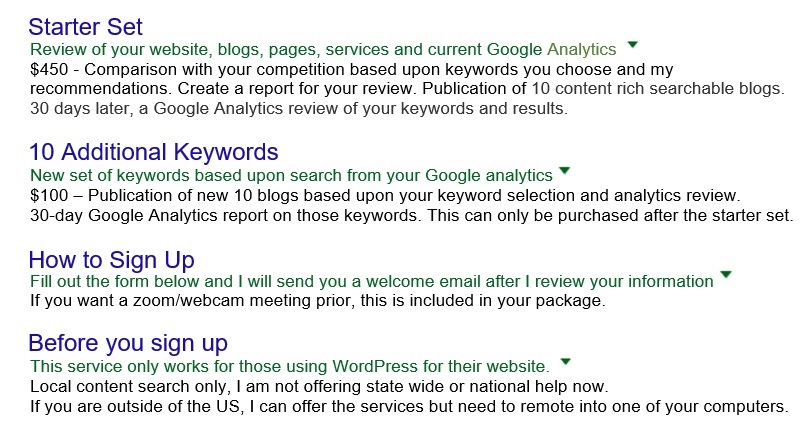
 Get found today! So many technician friends I know have great websites up, but not many have good SEO to help them get found. My services help you get found by creating content in your website using your location and your services. I have a starter set for $450 and buy as you like “next level” for $175. No contracts, no monthly fees, just buy as you want.
Free Learning Guide
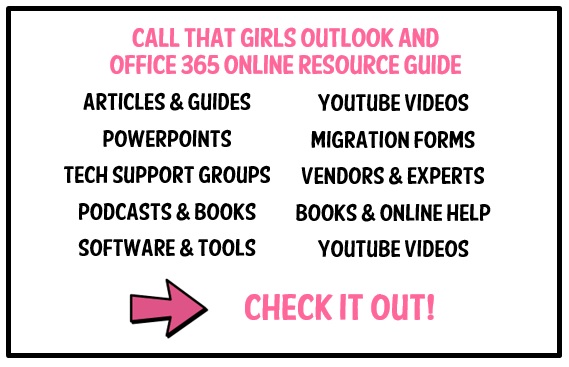
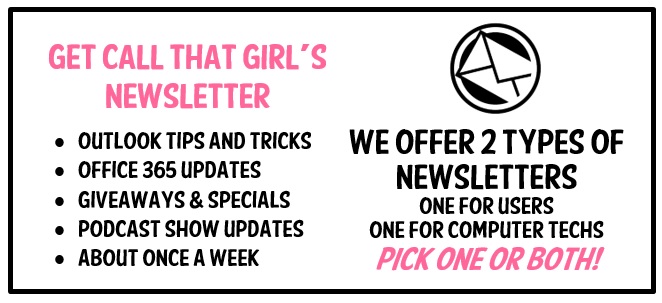
Sign up for my newsletter
Check out my Podcast

 Need to Hire Me? Below is a list of tech to tech services I provide. Contact me below.
- Outlook Expert
- Exchange Migration Coaching
- Exchange Migration Management
- Client Outlook Training
- OST recovery
- Email investigation
Feel free to leave a comment if this blog helped you! I am enjoying reading and replying to them.
- Sign up for my newsletter here
- If you’re looking to earn money just by talking about me to your friends, check out my referral program here
- Subscribe to my YouTube Channel
- Follow me on Facebook
- Invite me on LinkedIn
- Follow me on Twitter