RSSCategory: Outlook Support

Things That You Should Know About Outlook That Microsoft Doesn’t Tell You

| September 14, 2011 | 0 Comments

Welcome to my Outlook FYI series of blogs. We will be covering these topics in a series as there is just way too much information to handle in one blog. I felt that these FYI’s were important to discuss because so many people use Outlook every day, for so many things. And Outlook is just not for email anymore. I also apologize, there are no “How to” in my blogs, just FYI’s. This blog will just explain things hopefully better for you to understand.

Many of us use Outlook in our everyday computing needs. It’s a wonderful tool, but very misunderstood by the common user. And maybe by some not so common people. Many of us are really married to it and I am all for it because it’s been my favorite software program since 2000, but it can be tricky and problematic.

Last weekend one of my clients took a computer to a “big box” place to buy a new computer and in a panic, had them do a data back up from his old computer to get the files quickly. When he got his computer back, he asked many times about the Outlook files and they told him, “We couldn’t get those files, they were corrupted”. He panics and comes back to us, where we find his files in no time flat. Why is that? Because we know where Microsoft hides the PST files, their technician must not have known. Years of data, calendar appointments, tasks, contacts, emails, archives…all could have been gone in one fast “Nope” type answer. Let me explain…

By default, when you set up Outlook for the first time, it creates what is called a PST (personal storage). You usually complete a set up wizard, fill in all of your email account information and happy days, email is back and running again! Email is working fine, but…Houston, we have a problem.

Again by default, the Outlook PST file on older computers that have XP and Windows Vista are set up in a hidden folder (not in Windows 7, it’s in the Documents folder now), way deep in some folders that are not shown by default. Windows says “click here to show hidden files” the average person would never think of going to find. Nor do they really make it easy to find unless you know how to navigate around the Outlook properties and settings. To be honest, very few of my clients know where this file is or know it exists.

So you may ask, why should you need to know where that PST is? Because it stores everything you do in Outlook. If you are using Pop3 for email, that’s where your email probably is being downloaded.  Using the calendar? That’s where your calendar is. Contacts, Tasks, Auto-fill name, archive files….Yep, all there and hidden. And please never assume your emails are being kept on your server because that is not the truth in many cases either.  (That will be our topic next Wednesday though, email).

I think of Outlook like this, it’s like buying a house but you don’t know where the furnace is. You know you have heat and can manage the thermostat…but don’t know where the furnace really is. Could you imagine that? Buying a house with no furnace, then one day you notice something is wrong and you can’t find the furnace at all. But you Google it and find the house builders buried your furnace underneath your basement. That is what Microsoft does with your default PST, hides it under the basement pretty much. And when you find the furnace, let’s say you can’t get it out of the basement because the house builders never told you how to get in and find it nor do they allow you to just open that basement door and see your furnace. You can see the outside of it, but you can’t see the pilot light to know its running. Your PST is in those deep hidden folders and you can’t just double click them to open them. You must open them through two or three special ways and the common person, again…doesn’t know how to do this. (I hope I didn’t lose you on the furnance comparison, but it’s the only thing that I could think of this am!)

Whenever I am remoted into a client’s machine and they are missing an archive folder, I go and find it open it. Most times I get this, “How did you do that”. Such a mystery that Microsoft really didn’t need to do to people.

To close, today’s topic of the infamous Outlook PST file was a just a start of my series of Outlook blogs. I will try to keep up with these every Wed and will continue to post in this blog, so favorite it and come back next week! Please share with your friends on LinkedIn, Facebook, Twitter, Newsletters, etc. If you or a loved one are in a need of an Outlook intervention (haha), or just need assistance, I am the Outlook gal here at Call That Girl and I know it well. Let me help you and quickly!

When your Outlook is not playing well… Googling repairs is fine and I recommend you do that to learn, but when it comes to actually repairing it, call us first. I can help you get back to work fast. To book an appointment to see if you are backing up your PST, click on the monitor below.

Upcoming topics

  • Emails-leaving copies on the server
  • When emails get stuck in your outbox
  • backing up your PST
  • PST Size problems, why Outlook can crash you out
  • How to open up your archive folders
  • More hidden folders!
  • Why the IMAP option may be better for you (if you have 2 or mor computers)
  • Outlook Google Calendar Sync
  • Tips for exporting your contacts into social media


Microsoft Office 365 Consultant 2

Call That Girl’s Guide To Outlook

| April 26, 2010 | 0 Comments

Call That Girl will be launching a new business services line of support and to get going, I thought I would do a review of Outlook. Outlook is probably one of the most used software programs out there. I am a big fan of it, have used it for years…but there are a few things everyone should know. The big tips are at the bottom of this blog.  We will start with a review of who uses Outlook and for what purposes.

HOME USERS

So, let’s start with the average home user. Why do you need Outlook? You probably don’t unless you have a smart phone and like synchronizing your calendar, tasks, contacts, etc. Most home users use free email services such as Gmail, Hotmail and Comcast. Many Mom’s like Outlook for the kids calendar, home calendar and keeping track of contacts.

SMALL OFFICE/HOME OFFICE USERS

SOHO (small office/home office) crew. Yes, you folks need an email program of sorts if you are going to run a business. Outlook is a great option, and here is why…

  • Email from mulitple accounts can be added to Outlook in one profile
  • Easy to move from an AOL, Hotmail, MSN to Outlook and start using your professional business email account with easy transition.
  • Great for smart phone users, synchronizes all data from Outlook to smart phone.
  • Rules and Alerts, use these to organize emails from certain groups, people, companies that need to be organized as they come in your email inbox.
  • Easy to back up
  • Easy to use with social networks
  • Most importantly, give your business that professional edge! Getting your own website and email is where it’s at for running a business.

SMALL BUSINESSES

Small businesses need Outlook help too. If you are in an office with around 20 people, you probaby don’t have in-house help, but rather one person who happens to know the most about the company IT and do it as well as their real job with the company. Sometimes having an outsider who knows Outlook is a great option for the quick fixes (for us!) and less headaches (for you!). With our 15 minute quick fix rate of $25, you can’t go wrong asking Call That Girl to help out on occasion.

CORPORATE USERS

Many corporate users have Outlook and keep all of their contacts/calendar appointments at work. They may also have rules about taking data with you, so we recommend you check with your manager or HR department before calling us and assisting with that. Your company IT department may also be able to assist you in exporting critical Outlook information (email, contacts, calendar).

Are you an Outlook Express user? If so, as you may or may not know, Outlook Express is no longer supported by Microsoft. You can still use it, but support is not an option with them. We at Call That Girl can support you, but many functionalities just do not work so well and we are now moving folks to Outlook. You can also opt for Windows Mail or Windows Live Mail if you are still looking for a free option. But of course, you may have problems importing in your folder list from Outlook Express. I have seen this be a problem for some of my clients.

TIP: Outlook by default opens a PST File (Personal Storage) in a hidden file on your computer. That is where most of your email and folders probably are.  Not everyone knows this and it’s very important that you back up that PST file often. If your computer crashes, the PST is just as important as your pictures and music!

TIP: if your Outlook is getting slow to open, you may want to see how large your PST file is. Some versions of Outlook will lock you out if it gets too large. If you have a newer copy, you have a lot more room. But keep this in mind, the larger your PST file, the longer it will take to open. I won’t get into technical talk about this, but if your Outlook is slow to open, call us for a quick review on it, we can help you move off old emails to another PST and get your Outlook in good shape again.

TIP: Using multiple computers and am sick of dealing with mail everywhere? I happen to use a service that synchronizes all of my email and folders. I was at a place a few months ago where I had 4 computers I was checking email on and was just tired of all the extra work I had to do to manage the email. If you are interested in learning more about this, contact us for a review.

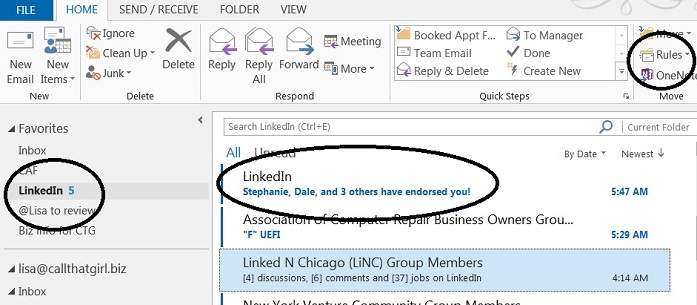
TIP: Set up rules and make your life easier! I have been doing this for years and LOVE IT. If I happen to get a ton of email from one person, I give them a folder and a rule. When I get an email from that person, it goes right to the folder I need. Outlook marks it unread, so you know there is new email there.

TIP: Looking for a calendar sync tool? I have been using the Google calendar with my Outlook for a couple of months and have to admit, I really like it. As many of you know, I’m not a big fan of using Google for everything, but I am liking this calendar option. You have to invite yourself to the event, and then it syncs to your Outlook calendar. I have my assistant do all the bookings on the Google calendar and I get the invites on my Blackberry and every computer I have Outlook on. I really dig this!

TIP: Be sure to check your junk e-mail folders! So many of us forget to check that folder, and I have found many important emails sneaking in there! Why is that? Because of the subject line. The person sent it with a title that was caught by spam/junk filters. I think checking that daily is important, you can mark what is not spam/junk to make sure that those emails come to your regular inbox.

I hope this helps many of you, if you have any questions about your Outlook, feel free to comment or give us a call for a review of any problems you are having. 612-865-4475

Are you an email hoarder?

| January 15, 2010 | 0 Comments

Trust me, many of us are! It’s very hard for some folks to hit that “delete” key and further…”permanentely delete”! Why is it so hard to let go one of one small little email that probably has no use for you or your email program ever? For me, it’s not the content, but the person it came from. My personal email habits, on a level of 1-10 (1 being bad, 10 being excellent)…I am a 7 probably.

Here are a few rules I have (and I have 3 computers checking the same email accounts, so if you think you have it bad, try being me!)

  • I empty my inbox nightly
  • I keep folders under my inbox to file things I need for later
  • I use “Rules” to keep certain emails organized when they come into my inbox (they go directly to the folder they belong)
  • I delete almost everything that does not need filing
  • Every 3 months or so, I take a copy of my deleted and sent items and move them to an PST file. I use a PST file as a storage so if I do need something, I can go find it.
  • I don’t use Business Contact Manager to find folks, but rather my deleted and sent items for finding who I need as well, I use my LinkedIn directory. Nope, not the most “efficient”, but I’m not an organizer either, I fix computers! But I do know Outlook well!

If you are bombarded with email in your inbox and feel overwhelmed with how unorganized it is, we can help at Call That Girl with getting those 100’s or 1000’s of emails managed a bit better so you can be relieved of your email hoarding.

This is for all email service/programs too! Yahoo, Gmail, Outlook, MSN/Hotmail, etc!!

For Outlook users: We will create a PST and many rules, start running the rules and moving emails around to their proper homes. Then work on moving email to that PST file so you can figure out where your mail is after we are done.

Outlook Hotmail/MSN users, beware!

| August 25, 2009 | 0 Comments

If you are an  Outlook user that checks your email from Hotmail/MSN, you may be getting messages from Microsoft telling you to install the “Outlook Connector”. As of Sept 1, 2009….Microsoft will no longer allow you to use Outlook for checking/managing your email without the connector application.

Just a tip…I had a client over the weekend have a bad Outlook crash when trying to install this. I then decided it was time to install and I had a crash as well.   I followed the instructions to a T, Outlook would not open at all after installing. I got 2 failure reports and had to repair my computer. Yep, Call That Girl couldn’t get it to work on the first attempt.  

What are you to do now?   Back up your Outlook PST before you do anything!  You may have more than one…If you need help, feel free to call and set up an appointment for the back up.  

Should you install the Outlook connector?   If you feel confident that you have a back up, go for it. I only say this because it has the potential of loading up an old PST and putting your other email accounts at risk (like not being able to open ANY folders)  

What if the install fails? Call That Girl knows how to get your Outlook working normal again, but it’s a bit tricky and again, we require all of your data is backed up before assisting.  

How will this be fixed? We are working on this to make sure that we figure out a fix to help you folks.   

Call That Girl!…and get it fixed fast!
Computer repair and services
Lisa Hendrickson
Cell 612-865-4475 https://callthatgirl.biz