RSSCategory: Outlook Support

iCloud iPhone Outlook Expert

| December 12, 2014

iCloud iPhone

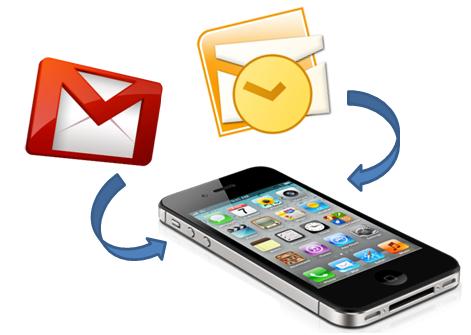
Are you having problems with iCloud, iPhone and Microsoft Outlook? Don’t worry you are not alone! I am an Outlook expert and have learned that many of my clients have many problems, but usually easily fixed with the right knowledgeable person. You need someone that knows how to set it up right the first time!

Sometimes going to the Apple store, doesn’t help. Those sales people don’t know Outlook very well, and it can be frustrating.

Calling Microsoft, can be even more frustrating.

Their first level techs usually don’t know all three technologies well enough to configure it for you over the phone or remoted in. My clients usually complain first that they called Microsoft, and then went to the Apple store, then found me online.I have patience. I understand your frustrations. Most importantly, I know all the technologies involved.

  • iCloud
  • iPhone
  • Microsoft Outlook
  • Heck, throw in Gmail! I know that too.

Call me today and get on my calendar, I’ll have you fixed up in no time!

612-865-4475

or fill out this form

iCloud Specialist

| December 11, 2014

iCloud iPhoneMany people today are having problems with iCloud, iPhone and Microsoft Outlook, don’t worry, you are not alone! I am an Outlook expert and have learned that many of my clients have many problems, but usually easily fixed with the right knowledgeable person. You need someone that knows how to set it up right the first time!

Sometimes going to the Apple store, doesn’t help. Those sales people don’t know Outlook very well, and it can be frustrating.

Calling Microsoft, can be even more frustrating.

Their first level techs usually don’t know all three technologies well enough to configure it for you over the phone or remoted in. My clients usually complain first that they called Microsoft, and then went to the Apple store, then found me online.I have patience. I understand your frustrations. Most importantly, I know all the technologies involved.

  • iCloud
  • iPhone
  • Microsoft Outlook
  • Heck, throw in Gmail! I know that too.

Call me today and get on my calendar, I’ll have you fixed up in no time!

612-865-4475

or fill out this form

Apply Today: Email Hoarders Buried Alive

| December 10, 2014

emailIf you can admit to any of these…we need to check you into the Betty Crocker Email Rehab clinic.

  • You have over 1000 emails in your inbox, 750 are unread
  • Worse, you have over 10,000 in your inbox, don’t make me guess who many are unread!
  • (worse worse…you have Google Apps and have over 30,000 in your ALL MAIL folder WOW), it happens, call me asap if so! I’ll book you right away, you are in DANGER!!!
  • You will open an email, read it, close it. Read it later, decide to maybe move on it. Close it. Read it later, then decide it’s not worth your precious time right now, mark it “Unread” so you remember to read it later with the other 749 unread “to do” emails later on. Those unread emails are really an “email graveyard” ya know!
  • You have over 100 Folders upon folders with more “unread” to do emails.
  • Do you have them organized by “career” or “year”. I personally don’t do either, I just dump everything into one big fast PST! let’s all drink the email hoarding Kool-Aid 🙂
  • You are the rule queen! Everything has a rule and the rules work, so you are more efficient! rules that are broken, don’t work and worse. Have 100’s of unread email in those.
  • You are a spam magnet
  • AOL, enough said
  • You love your spam and you enjoy every bit of it! Unread!

it’s my job to get you to “zero inbox rule” and that means, you leave work, you have no email. Every email is organized, tasks are created and you can have a life again. Email can suck the life out of you if you don’t know how to manage it.

email-hoarding


Next blog…Contact Hoarders, to know one is to be proud of one.

Oh yes, there are contact hoarders too and I have found, you are one or the other. No two hoarders are the same!


Need help now?

Gsyncit wins over CompanionLink for Outlook, iCloud, Google and iPhone Synching

| February 5, 2014 | 0 Comments

Microsoft Outlook Specialist

Yep, I called it. Gysyncit wins victorious over CompanionLink for installation, configuration and setup and of course…correctly synching iCloud to Google Calendar with Outlook and iPhone in just 20 minutes flat.

The 3 (4)  titans can play together nicely, finally.

If you are having issues syncing your Gmail calendar to your iPhone to your Outlook, give me a call and I’ll help you with this issue. I cannot guarantee a 20 minute set up, but it should be under an hour either way.


Microsoft Office 365 Consultant 2

Outlook Repair of the Day: Outlook Sync Tools

| February 5, 2014 | 0 Comments

Outlook-150x150Today was interesting. I had a client book some time with me today to work on a Outlook, Gmail calendar and contacts sync issue.

office365 podcast2

Since he is using free Gmail, you are held hostage to not being able to sync calendars anymore and forget about contacts unless you use a 3rd party tool. And while there are many out there, I tend to lean towards CompanionLink or Gsyncit. Both work, but I’m finding Gysyncit is working better. Less snags in the setup and first round of syncing.

So the client and I set up CompanionLink, he is on a slow internet connection and we find the syncing very slow and required us to close his Outlook and reboot a couple of times to see the actual Outlook calendar on his Samsung phone. We used the Google option for syncing. I also had to configure the settings a few times and I will guess that an average user of CompanionLink would not know about this, the snooping around I do very fast and furiously. When a client is paying per hour, you wan this to just work!

End of the job, we found appointments syncing. Client happy. Until later, no joy. Now we will try Gsyncit tomorrow. I tell ya, free Gmail is not always free folks. I hate telling clients this, but for me it’s not the best if you love and heart Microsoft Outlook like I do!

outlook-ad-300x130


Office365 Podcast

3 Reasons Why You Should Upgrade to Outlook 2013

| February 3, 2014

I purchased Office 2013 many months ago, and while I was kind of not looking forward to the new products (always a learning curve, or getting used to the new look), I have to admit that I do now enjoy Outlook 2013 more than I expected. Here are my top 3 reasons to upgrade.

social networks1.) It’s fast! I love the speed they gave this product. This could be because I have 8 gigs of memory on the computer, but I have noticed the speed on even my 2 gig memory computer. I have noticed while surfing between my folders that this version of Outlook just goes right through them and the search feature even seems faster.

2.) Not as many “White screens of death”….this is compared to the good old Windows blue screen of death. If you are an avid Outlook user and maximizing it (meaning, many emails being checked, many folders and PST files), you have to had a few “white screens”. Outlook 2013 has very few. I have gotten them, but that’s usually when I’m doing mad crazy work. I overclock it.

3.) Social Network Connector, it’s awesome! I signed in with my LinkedIn and Facebook, and now anytime I get an email from someone who has an account with that email in LinkedIn or Facebook, it shows their picture and links to view their social networks quickly. Pictured above is how you add it and below is how an email looks after receiving an email.


Lisa linkedin


callthatgirl250x250alt